
Gradient shapes and retro neon Procreate


Original price was: $5.00.$2.50Current price is: $2.50.

Lets Art Shop
Product Specs
- Compatible with: Procreate
- File Type: zip
- Instant Download
- File Size: 4 MB
🎉 Looking to add a splash of color and creativity to your digital artwork? The Gradient Shapes and Retro Neon Procreate brush set is just what you need! This delightful digital download provides instant access to a vibrant collection of gradient shapes that will elevate your designs in no time. Perfect for artists and designers alike, these brushes will add a unique touch to your Procreate projects! 🎨✨
Product Overview
This fantastic brush set features 8 gradient stamp shapes that are perfect for creating stunning backgrounds and illustrations. With a retro neon color palette included, you can easily infuse your artwork with a nostalgic vibe. Whether you’re designing for social media, digital art, or any creative project, these brushes will help you achieve that eye-catching look! 🌈
Key Features & Benefits
- 8 Gradient Stamp Brushes: Quickly create beautiful designs with diverse shapes that save you time and effort.
- Retro Neon Color Palette: Infuse your artwork with vibrant colors that evoke a nostalgic feel, perfect for modern designs.
- Instant Download: Get started right away with immediate access to your digital assets.
- Compatible with Procreate: Seamlessly integrate these brushes into your Procreate workflow for a smooth creative experience.
Technical Specifications
| Specification | Details |
|---|---|
| Compatible with | Procreate |
| File Type | zip |
| Instant Download | Yes |
| File Size | 4 MB |
What’s Included
- 1 brush set file containing 8 gradient stamp brushes
- 2 color palettes featuring vibrant neon and retro colors
Perfect For
This brush set is ideal for:
- UI Designers
- Digital Illustrators
- Graphic Designers
- Artists looking to add retro elements to their work
- Anyone wanting to create stunning digital art with ease!
FAQ
- Is this a physical product? No, it’s a digital download!
- Can I use these brushes in other software? These brushes are specifically designed for Procreate.
- What if I have an older version of Procreate? If you’re using Procreate version 4.0 or earlier, please contact me for individual brush files.
How to Install Procreate Brushes (.brush and .brushset):
For older iPads or Procreate versions 4.0 or earlier, follow these steps:
- Download the .brush file folder to your iPad.
- Open the folder and select the .brush files.
- Tap and hold with your finger or Apple Pencil.
- Select “Share” from the menu.
- If “Open in Procreate” is missing, click on “More.”
- Scroll to find “Open in Procreate” and select it.
- Open your project in Procreate and click the brush icon at the top right corner.
Alternatively:
- Open Procreate, click new collection – brush – import.
- Find the folder with the downloaded brush, choose it, and add it to Procreate.
All products in this shop cannot be shared. © Let’s Art ♡
User Reviews
Be the first to review “Gradient shapes and retro neon Procreate”
You must be logged in to post a review.
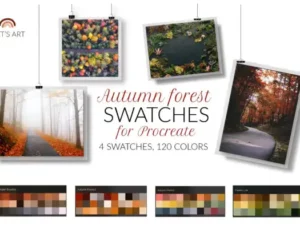
Autumn Procreate Swatches Cozy Autumn
Sold by Lets Art Shop
Procreate Frames Stamps, Decor Stamps
Sold by Lets Art Shop
Procreate iPad planner stamps brush
Sold by Lets Art Shop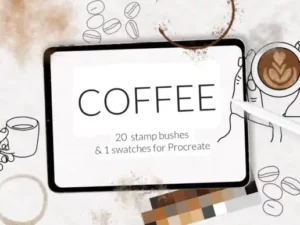
Coffee stain coffee cup stamp brush
Sold by Lets Art Shop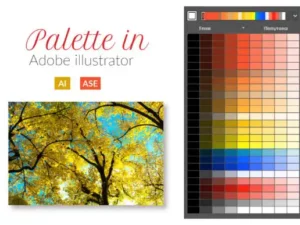
Autumn Color Palette, Procreate Swatches
Sold by Lets Art Shop
Procreate geometry shapes Stamp Brushes
Sold by Lets Art Shop Original price was: $5.00.$2.50Current price is: $2.50.


There are no reviews yet.