
Embroidery Sticker Photoshop Action
Original price was: $5.00.$2.50Current price is: $2.50.

Andrew Skoch Design
Product Specs:
- Compatible with: Actions
- File Type: ZIP
- File Size: 24.6 MB
- Instant Download
Embroidery Sticker Photoshop Action
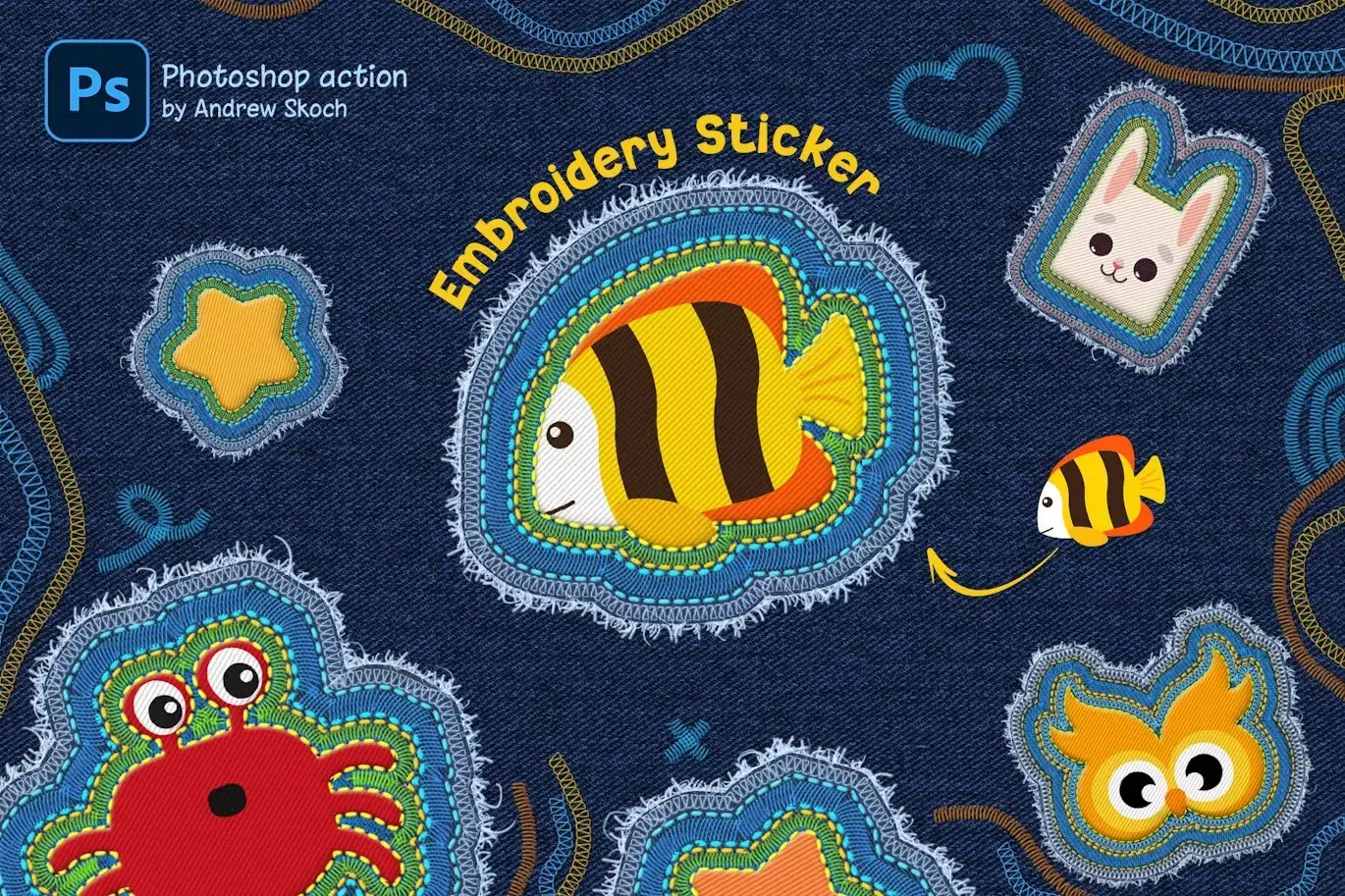
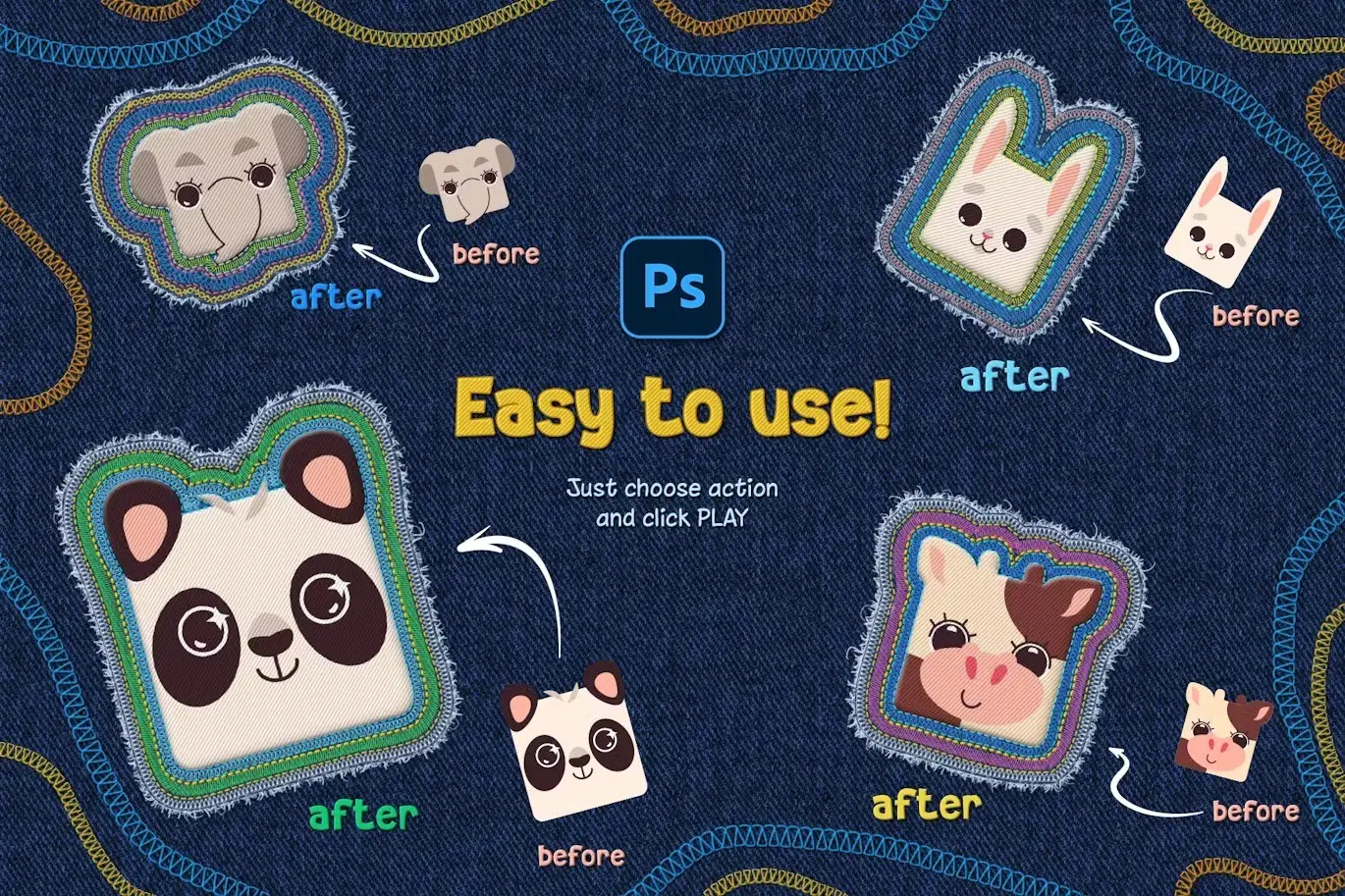
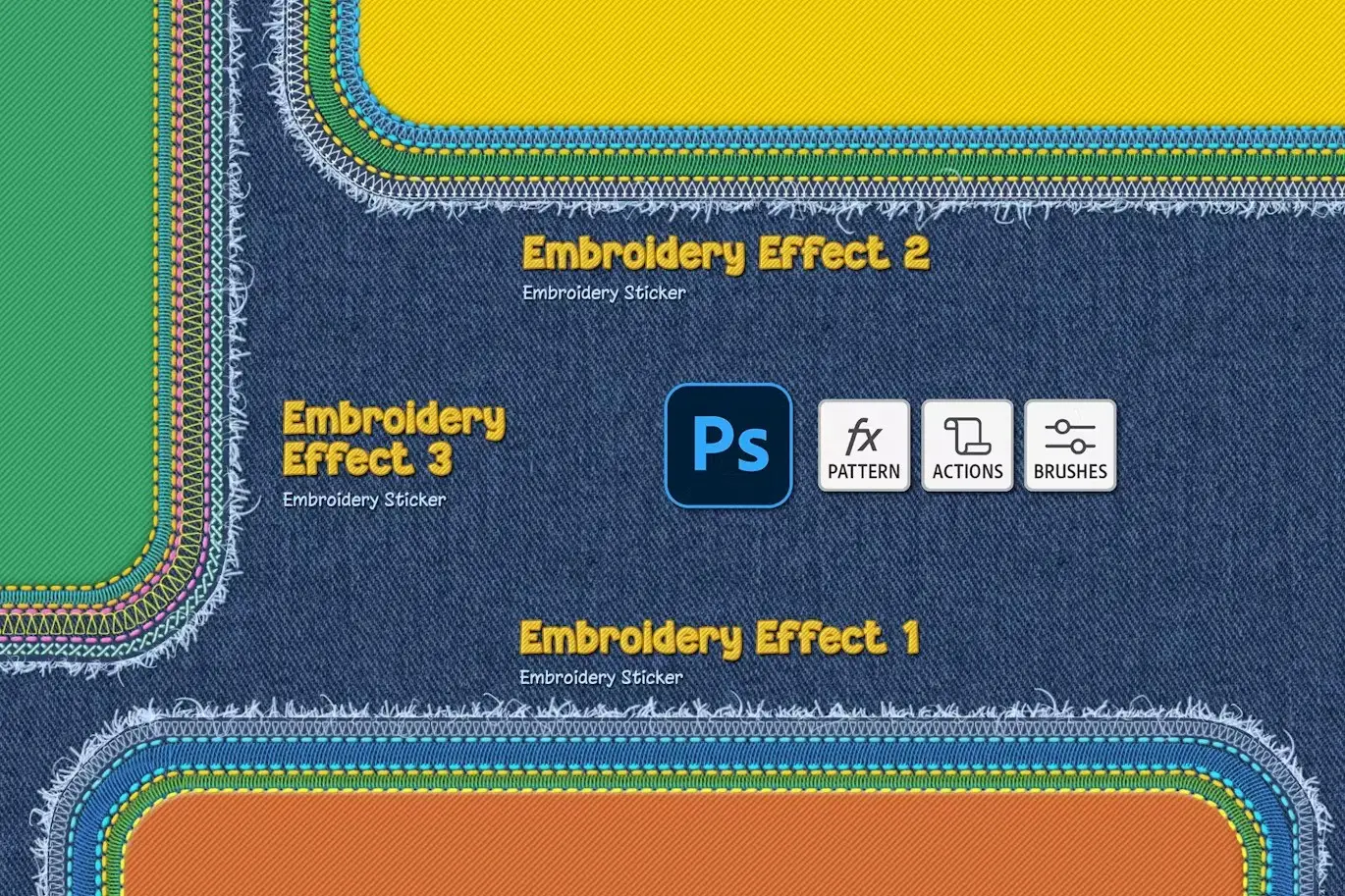
Create stunning embroidery stickers from your images, logos, or text with the Embroidery Sticker Photoshop Action. This versatile tool allows you to apply a realistic patch effect on denim textures in just seconds, offering a range of customizable options to suit your creative needs.
Product Overview
This action is perfect for designers seeking to add a unique touch to their projects. With its user-friendly interface and multilingual support, you can easily navigate through any language in Photoshop. You can also run the action multiple times within the same PSD project, making it simple to create intricate embroidery compositions.
Key Features & Benefits
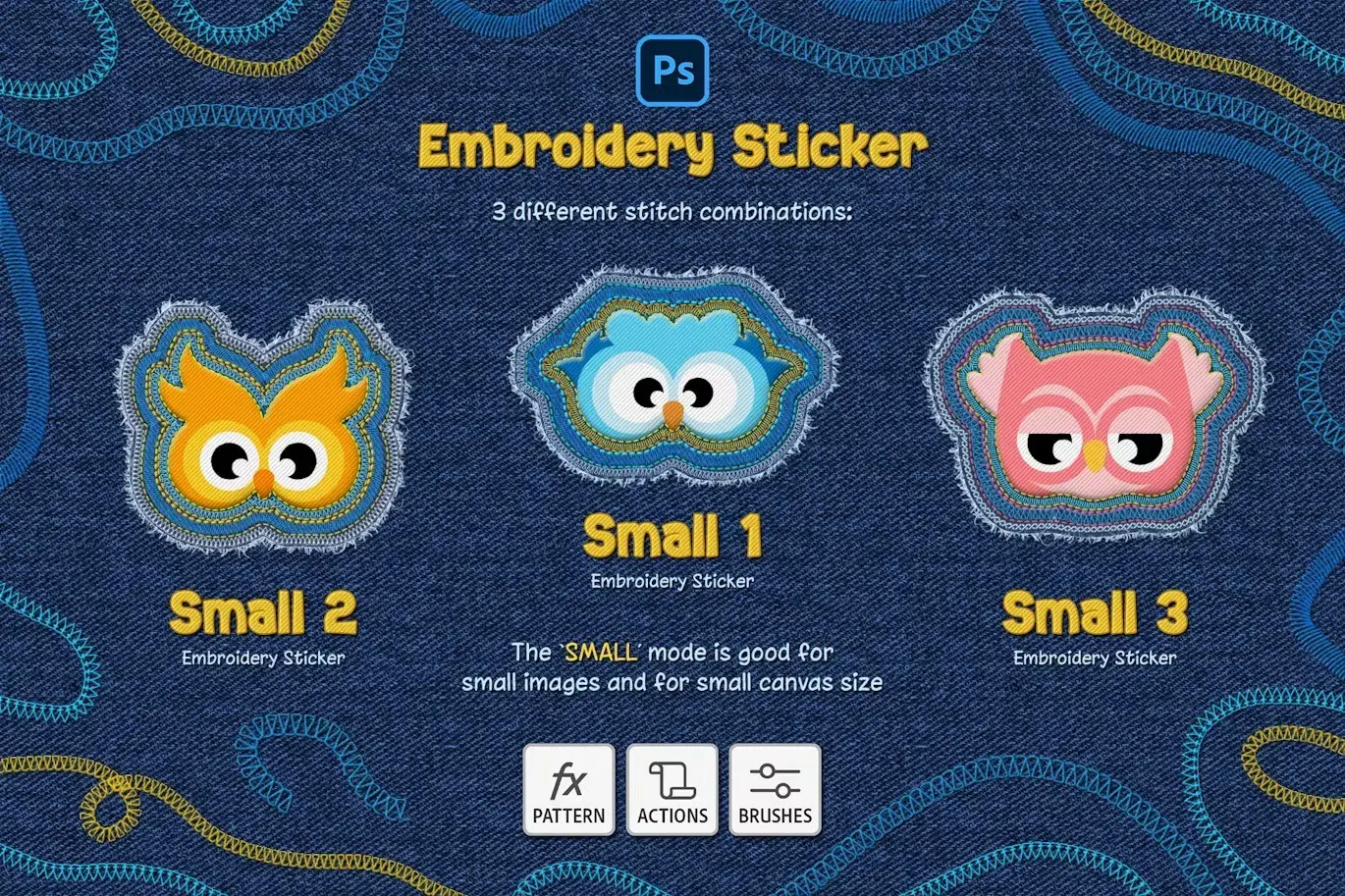
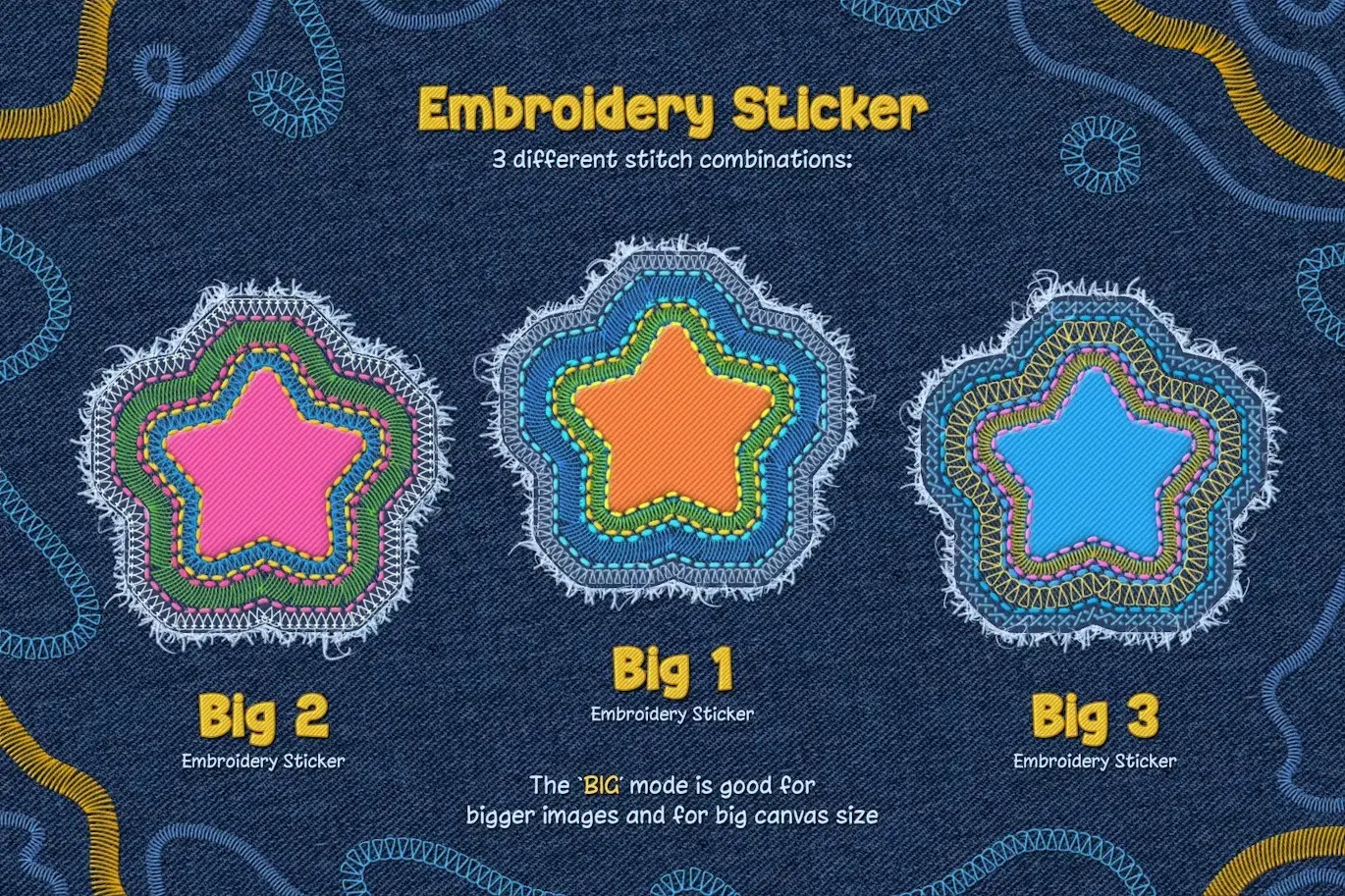
- ✅ Three Embroidery Effects → Choose from classic cross-stitch, chain stitch, or satin stitch to match your design style.
- ✅ Color Customization → Easily change the color of each stitch layer using color overlays, allowing for endless creative possibilities.
- ✅ Big and Small Sizes → Create embroidery stickers in various sizes, perfect for any project.
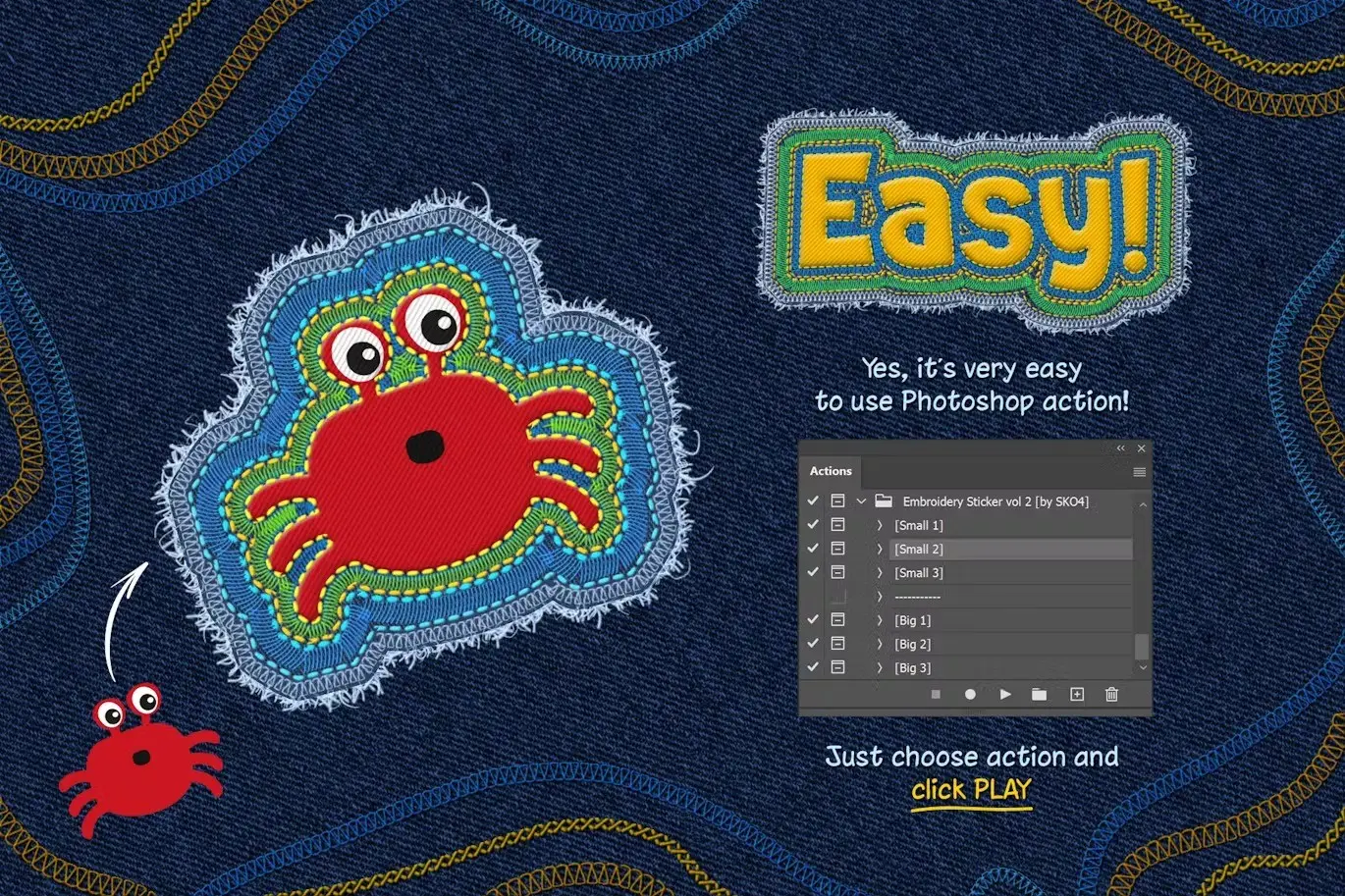
- ✅ One-Click Action → Transform your designs into realistic embroidery effects with just a single click, saving you valuable time.
- ✅ Multilingual Support → Use the action seamlessly in any interface language in Photoshop.
Why Choose This Product
The Embroidery Sticker Photoshop Action stands out for its ease of use and professional results. Whether you’re an experienced designer or just starting, this action simplifies the process of creating eye-catching embroidery effects. Trusted by creatives worldwide, it allows you to turn your logos, texts, icons, and mascots into cool embroidery stickers effortlessly.
Specifications (Technical Details)
| File Type | Description |
|---|---|
| ANT File | Action file for Photoshop |
| PAT File | Patterns file for stitching effects |
| ABR File | Brushes file for additional effects |
| PSD File | Template for easy start |
| Help file with font links and instructions |
What’s Included / What’s in the Box
- 📦 ANT File – action file
- 📦 PAT File – patterns file
- 📦 ABR File – brushes file
- 📦 PSD File – template for easy start
- 📦 PDF – Help file with fonts links and instructions
Perfect For
- Graphic Designers
- Textile Artists
- Logo Designers
- Craft Enthusiasts
- Small Business Owners
How to Use
Simply load the action in Photoshop, select your desired design, and click the action button. Adjust the stitch colors and sizes as needed to create your unique embroidery sticker.
FAQ
- Can I use this action on any layer type? Yes, it works with text layers, vector shapes, pixel layers, PNG images, smart objects, and folder groups.
- Is there support available if I have questions? Absolutely! The included PDF provides instructions and links to resources.
Don’t wait to elevate your designs! Add the Embroidery Sticker Photoshop Action to your toolkit today and start creating stunning embroidery effects effortlessly! 🚀
User Reviews
Be the first to review “Embroidery Sticker Photoshop Action”
You must be logged in to post a review.
Metal Text Effects
Sold by Andrew Skoch Design
Cyberpunk Neon Logo
Sold by Andrew Skoch Design
Realistic Watercolor Procreate Brush
Sold by Andrew Skoch Design
Wood Logo Wall Mockup
Sold by Andrew Skoch Design
Metal Text and Logo Effects
Sold by Andrew Skoch Design
Foil Balloon – Photoshop Action
Sold by Andrew Skoch Design Original price was: $5.00.$2.50Current price is: $2.50.


There are no reviews yet.