
Cartoon – Photoshop Action


Original price was: $8.00.$4.00Current price is: $4.00.

D Gas
Product Specs
- Compatible with: Adobe Photoshop
- File Type: zip
- Instant Download
- File Size: 342 KB
Bring Your Photos to Life with Cartoon – Photoshop Action!
Are you ready to add a splash of fun and creativity to your artwork? This Cartoon – Photoshop Action is a delightful digital download that provides instant access to an amazing tool for transforming your photos into vibrant cartoon masterpieces! 🎨✨ With just a few clicks, you can achieve that charming cartoon effect that everyone will love!
Product Overview
This fantastic Photoshop action is designed to create stunning caricature effects, turning your images into playful, comic-style art. Whether you’re a professional designer or a hobbyist, this action will elevate your creative projects with ease.
Key Features & Benefits
- Compatible with Adobe Photoshop: Seamlessly integrates into your favorite design software.
- Easy to Use: Just apply the action and watch your photo transform into a cartoon instantly!
- High-Quality Results: Achieve a professional look without the hassle of manual editing.
- Instant Download: Start creating right away with immediate access to your files.
Technical Specifications
| Specification | Details |
|---|---|
| Compatible with | Adobe Photoshop |
| File Type | zip |
| Instant Download | Yes |
| File Size | 342 KB |
What’s Included
- Action ATN file
- Help file
- Tested and working in CC with Oil Paint filter Photoshop version
- Preview image not included
Perfect For
This action is ideal for photographers, graphic designers, and digital artists looking to add a whimsical touch to their images. Whether you’re creating social media content, marketing materials, or personal projects, this cartoon painting Photoshop action will make your work stand out!
FAQ
- Is this a physical product? No, it’s a digital download!
- Can I use this action with any Photoshop version? It works best with Adobe Photoshop CC.
Some Basic Settings for Photoshop
- Work only with ENGLISH language Photoshop (How to change language to English TUTORIAL).
- Use the RGB Mode and 8 Bits color: Go to Image/Mode and check the RGB color and 8 Bits/Channel.
- Set the Opacity brush and flow to 100%: Select Brush Tool and move Opacity and Flow slider to 100%.
- Make sure the photo set Background from layer: Go to Layer/New/Background from layer.
User Reviews
Be the first to review “Cartoon – Photoshop Action”
You must be logged in to post a review.

Double Exposure Urban – Photoshop Action
Sold by D Gas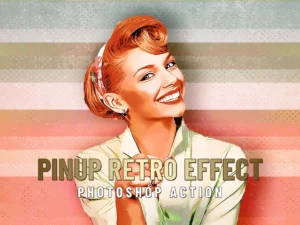
PinUp Retro Effect – Photoshop Action
Sold by D Gas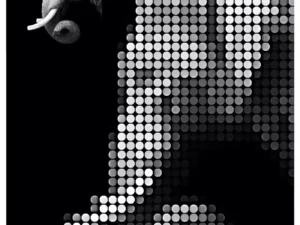
Dot Creator – Photoshop Action
Sold by D Gas
Vector Splash – Photoshop Action
Sold by D Gas
Ink Scratch – Photoshop Action
Sold by D Gas
WetPaint – Photoshop Action
Sold by D Gas Original price was: $8.00.$4.00Current price is: $4.00.


There are no reviews yet.