
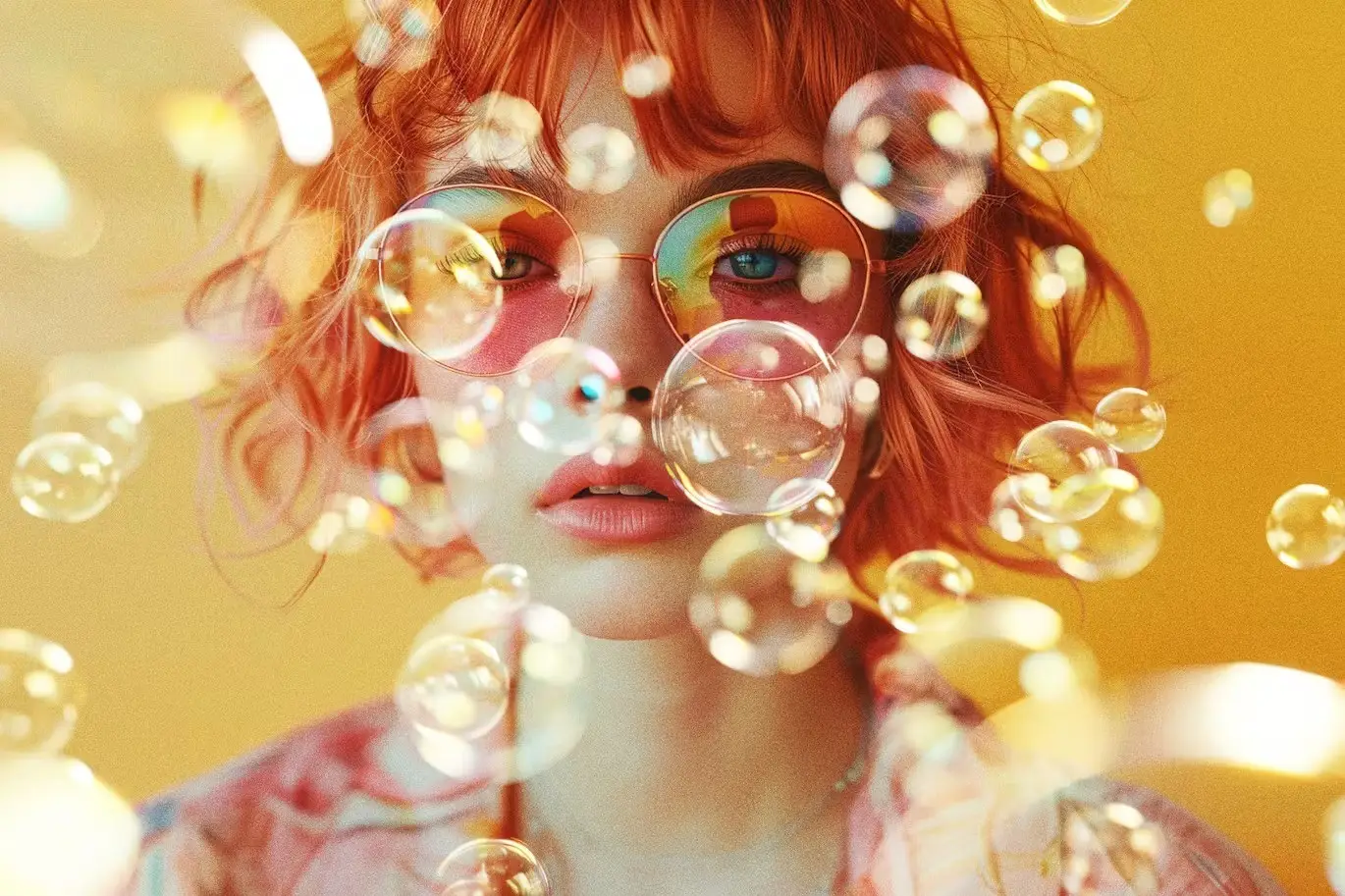
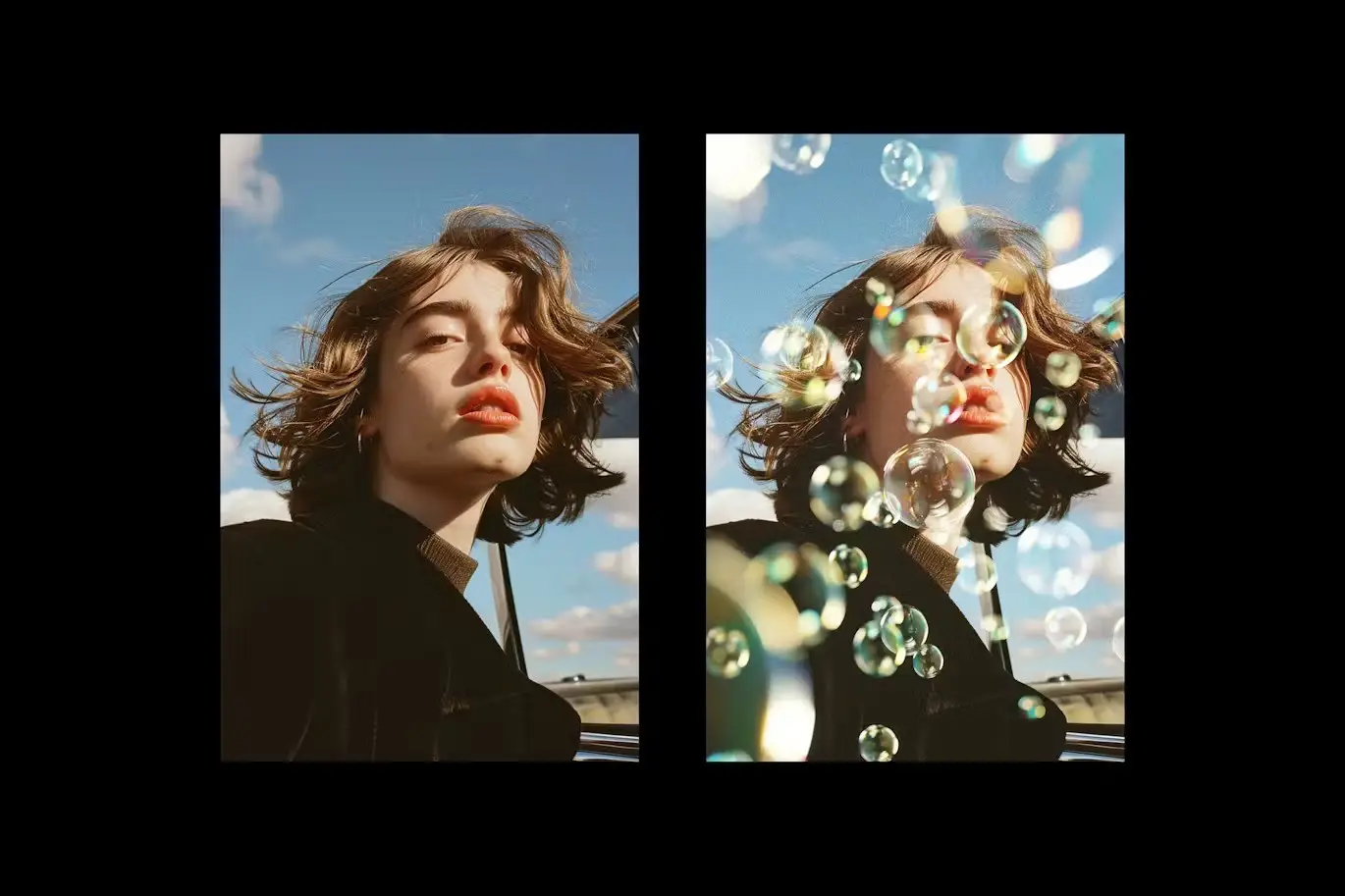

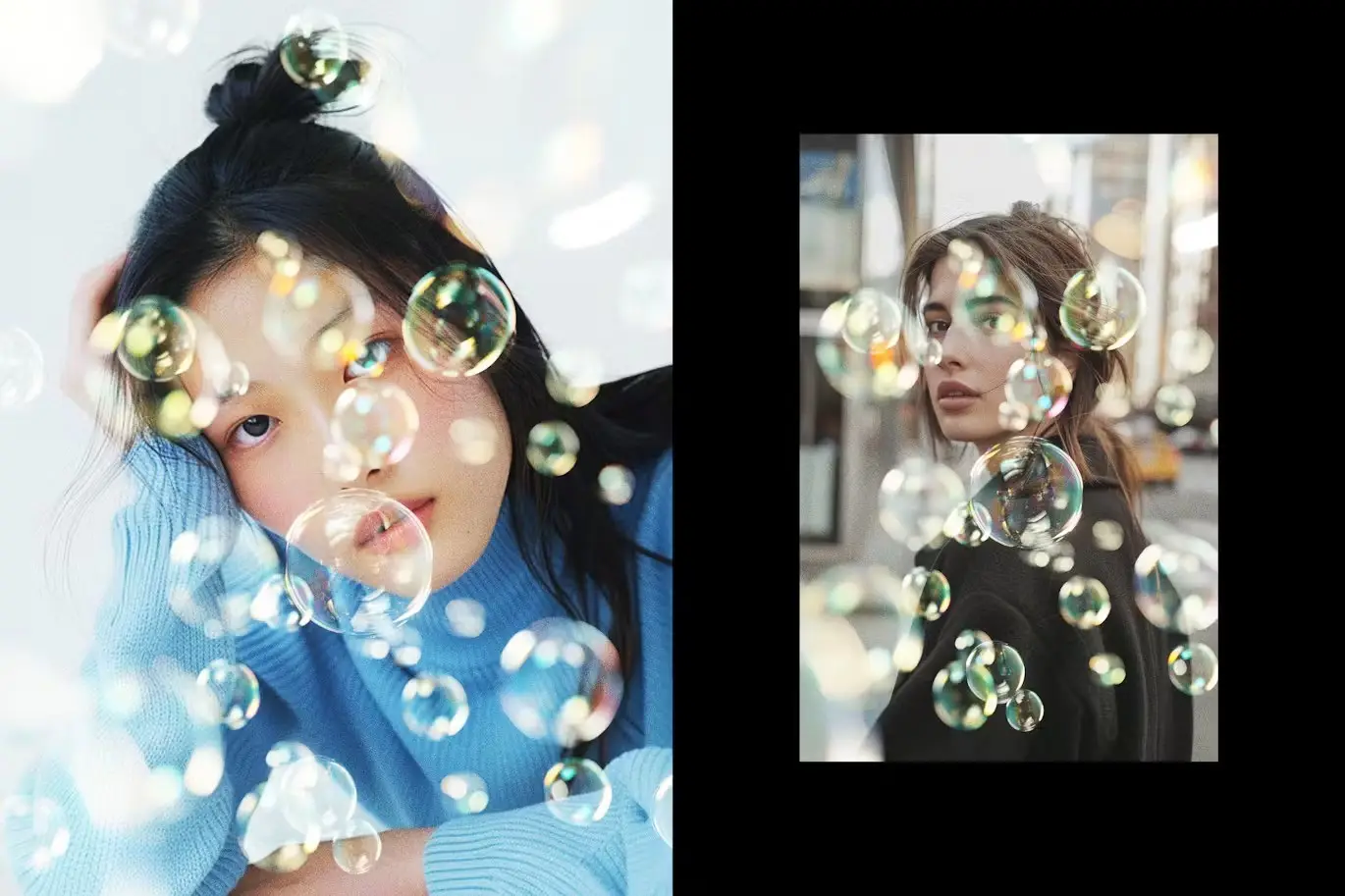
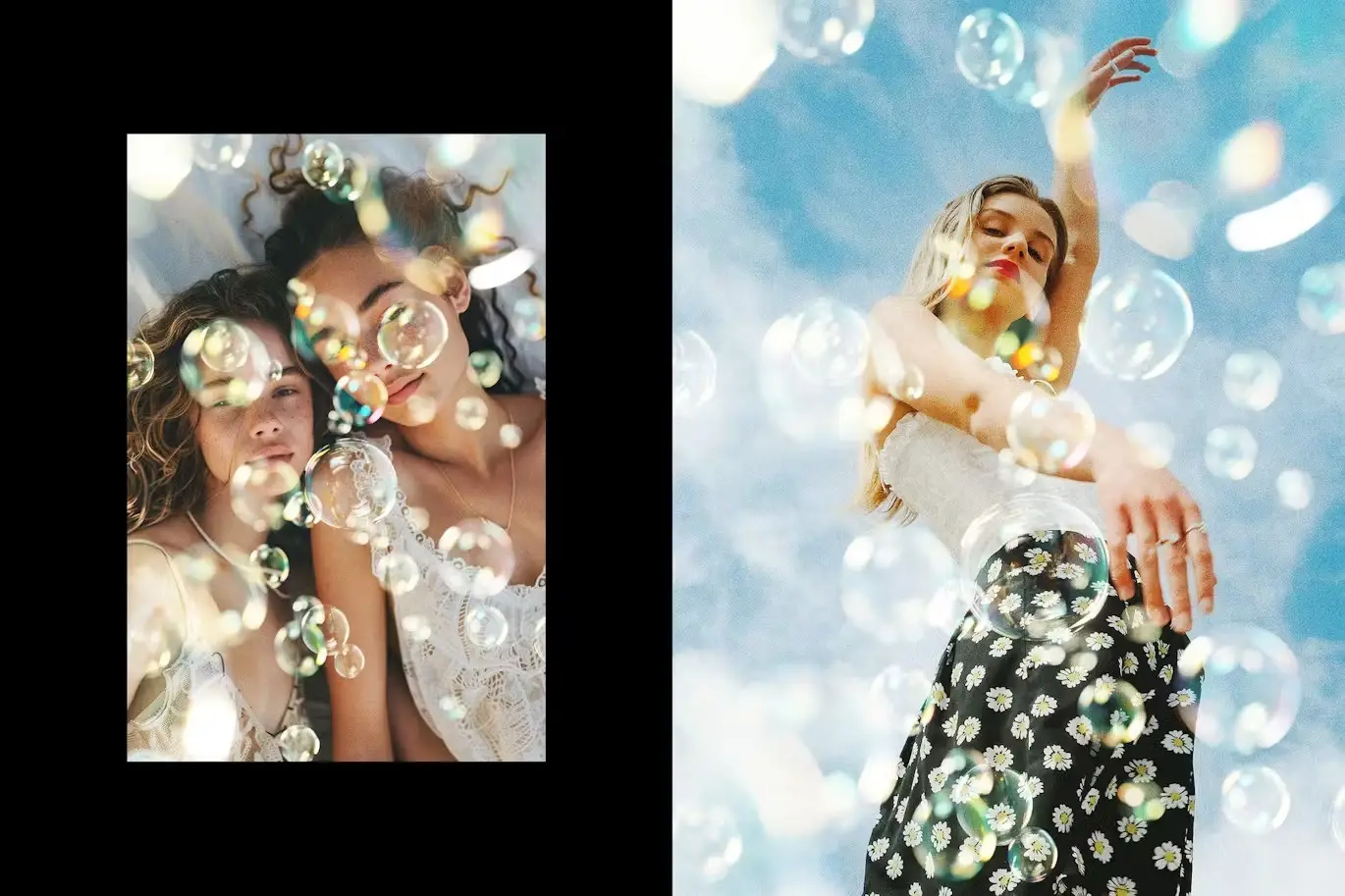

Bubbles Overlay Effect for Stunning Photography
Transform your images with the Bubbles Overlay Effect! This powerful photo effect allows you to create mesmerizing, high-quality visuals in just a few clicks. Whether you’re a professional photographer or a design enthusiast, this overlay is designed for complete customization and ease of use.
Product Overview
The Bubbles Overlay Effect is a digital design asset that enhances your photography projects effortlessly. With Smart Object layers, you can easily integrate your graphics and achieve stunning results without any hassle. This effect is perfect for adding a playful touch to your images, making them stand out in any portfolio.
Key Features & Benefits
- ✅ Smart Object Layers → Effortlessly customize your overlays by simply double-clicking the layer thumbnail.
- ✅ High-Quality PSD Files → Includes two files at 4500×3000 px and 3000×4500 px, both at 300 dpi for professional quality.
- ✅ Easy to Use → Just replace the placeholder image, save, and watch your design come to life!
- ✅ Adjustment Features → Fine-tune your composition with various adjustment options for the perfect finish.
- ✅ Comprehensive Help File → Get started quickly with our easy-to-follow instructions.
Why Choose This Product
The Bubbles Overlay Effect is not just another design tool; it’s a gateway to creativity. Trusted by photographers and designers worldwide, this overlay effect simplifies the process of enhancing your images. Imagine transforming a simple photo into a captivating piece of art with minimal effort! Whether you’re creating promotional materials, social media posts, or personal projects, this overlay adds a unique flair that captures attention.
Specifications (Technical Details)
| File Type | PSD |
|---|---|
| Dimensions | 4500×3000 px, 3000×4500 px |
| DPI | 300 |
| Compatibility | Adobe Photoshop |
What’s Included / What’s in the Box
- 📦 2 High-Quality PSD Files
- 📦 Help File for Easy Setup
Perfect For
- Photographers
- Graphic Designers
- Social Media Managers
- Creative Artists
How to Use
Using the Bubbles Overlay Effect is simple:
- Open the PSD file in Adobe Photoshop.
- Double-click the Smart Object layer to edit.
- Replace the placeholder image with your graphics.
- Save and close the Smart Object to view your changes.
- Adjust any additional features as needed.
FAQ
- Can I use this overlay for commercial projects? Yes, you can use it for both personal and commercial projects.
- Is Photoshop required to use this overlay? Yes, Adobe Photoshop is necessary to edit the PSD files.
Add the Bubbles Overlay Effect to your toolkit today and start creating stunning visuals effortlessly! 🚀
User Reviews
Be the first to review “Bubbles Overlay Effect”
You must be logged in to post a review.
Blackview Grunge Textures Collection
Sold by

Spectrum Rainbow Photo Overlays
Sold by
Nostalgic Watercolor Photo Effect
Sold by

Original price was: $5.00.$2.50Current price is: $2.50.


There are no reviews yet.