
30 Freeze Photoshop Stamp Brushes

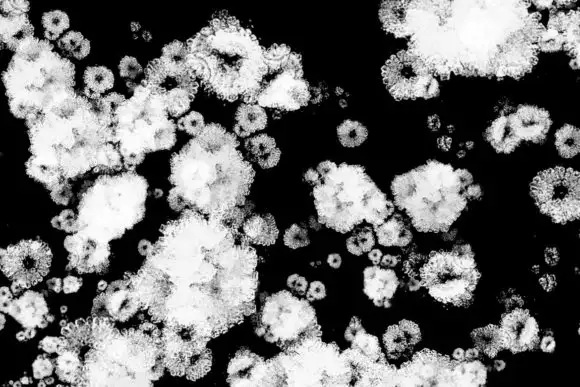
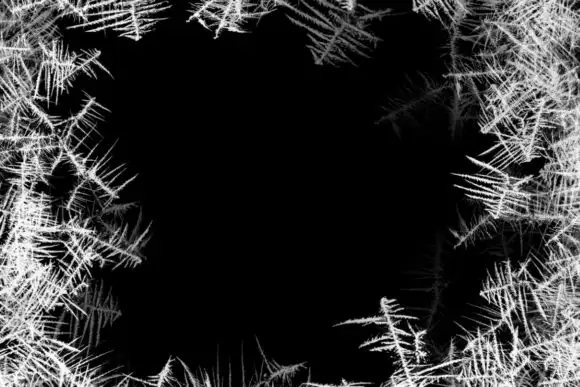
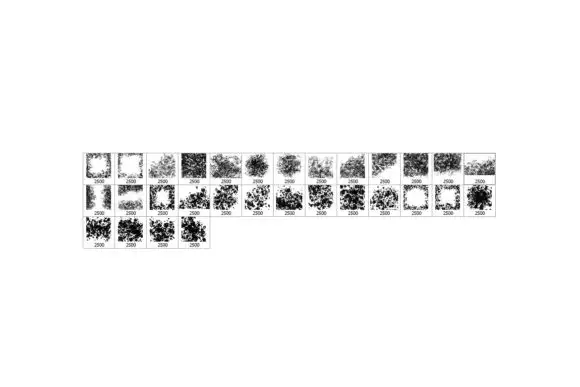
Looking to add a unique touch to your digital creations? The 30 Freeze Photoshop Stamp Brushes are here to sprinkle some magic on your artwork! 🎨✨ This digital download gives you instant access to a fantastic collection of high-resolution brushes that can elevate your designs in no time.
Product Overview
These 30 Freeze Photoshop Stamp Brushes are designed for artists, graphic designers, and creative enthusiasts who want to create stunning visuals with ease. With a maximum size of up to 2500 pixels, these brushes are compatible with any version of Adobe Photoshop, making them a versatile addition to your toolkit.
Key Features & Benefits
- High Resolution: Each brush offers incredible detail, perfect for creating realistic textures and effects in your projects.
- Versatile Usage: Ideal for photo overlays, digital photo manipulation, and adding decorative elements to your artwork.
- Instant Download: Get started right away! No waiting around for physical products to arrive.
- Compatible with All Photoshop Versions: Whether you’re using the latest software or an older version, these brushes will work seamlessly.
Technical Specifications
| File Type | zip |
|---|---|
| File Size | 282 MB |
| Compatible with | Adobe Photoshop |
| Instant Download | Yes |
What’s Included
- 30 Freeze Photoshop Stamp Brushes
- Instructions for installation and usage
Perfect For
These brushes are perfect for:
- Graphic Designers looking to add unique textures to their designs.
- Digital Artists who want to create stunning visual effects.
- Photographers aiming to enhance their images with creative overlays.
FAQ
Is this a physical product? No, it’s a digital download!
How to make a stamp in Photoshop? Use these brushes to easily create stamp effects in your artwork, adding depth and interest!
How to use stamp in Photoshop? Simply load the brushes and start painting on your canvas for stunning results!
User Reviews
Be the first to review “30 Freeze Photoshop Stamp Brushes”
You must be logged in to post a review.
Original price was: $0.30.$0.15Current price is: $0.15.


There are no reviews yet.