
Mockup templates for branding, packaging & presentation.
Explore mockup templates for branding, packaging, apparel, devices, posters, stationery, books, products and client presentations. Showcase your creative work in realistic scenes with professional mockup resources from Brushes Pack.
Present your work in the context your audience expects to see it.
Choose mockups around the final application of the design, whether you are presenting packaging, branding, apparel, a digital interface or printed material.
Branding Mockups
Showcase logos, identity systems, business cards, stationery and branded materials in polished presentations.
Explore branding mockups →Packaging Mockups
Present boxes, bottles, labels, bags, containers, food packaging and retail concepts realistically.
Browse packaging mockups →Apparel Mockups
Display T-shirts, hoodies, jerseys, jackets, tags and wearable designs in believable product scenes.
Explore apparel mockups →Device Mockups
Present websites, applications and digital interfaces on phones, tablets, laptops and screens.
Browse device mockups →Poster & Print Mockups
Show posters, magazines, books, flyers and printed artwork in realistic editorial and environmental scenes.
Explore print mockups →Product Mockups
Build stronger product presentations with cups, bottles, bags, boxes, stickers and commercial objects.
Browse product mockups →Stationery Mockups
Present letterheads, envelopes, cards, notebooks and corporate identity assets as a connected system.
Explore stationery mockups →Billboard & Sign Mockups
Place campaign designs into outdoor advertising, walls, signage and large-format presentation scenes.
Browse advertising mockups →Creative Mockup Scenes
Explore stickers, holographic surfaces, unusual materials and specialty presentation environments.
Explore creative mockups →A strong mockup helps people understand the finished idea faster.
Mockups place flat artwork into context so clients, customers and portfolio viewers can imagine how the design may look in a real application.
Client Presentations
Turn flat identity concepts into more convincing visual presentations.
Portfolio Projects
Show how your design system works across realistic products and environments.
Product Listings
Create polished previews for digital products, printed items and branded merchandise.
Marketing Campaigns
Present creative concepts across billboards, packaging, devices and promotional materials.
The mockup should support the design, not become the design.
Choose a scene that helps explain your work clearly. Lighting, perspective and props should reinforce the concept without distracting from the artwork you are presenting.
Choose the right context
A packaging identity should usually be shown on relevant containers rather than an unrelated object.
Keep branding readable
Use scenes and angles that show important typography, logos and layout details clearly.
Match the mood of the project
Minimal branding may suit a clean studio scene, while experimental work may benefit from a more expressive environment.
Check compatibility first
Review each product page for file formats, software requirements and editing instructions before purchasing.
Turn finished artwork into a polished presentation.
Use mockups after the design direction is established so the presentation reinforces the work rather than hiding unresolved decisions.
Design
Complete the core branding, packaging, artwork or interface first.
Select
Choose a mockup scene that matches the intended real-world application.
Place
Insert your design into the editable area or smart object where provided.
Refine
Adjust background, color and scene details when the mockup allows customization.
Present
Export the finished presentation for portfolios, clients, stores or marketing.
Explore mockup templates by presentation need.
Browse commonly searched mockup categories for graphic design, branding and product presentation.
New mockup template arrivals.
Explore recently added mockup resources for branding, packaging, apparel and product presentations. This section automatically updates as new Mockups products are published.
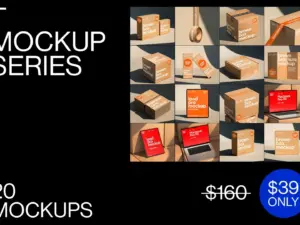
T_Series Bundle
Sold by Showcase Mockups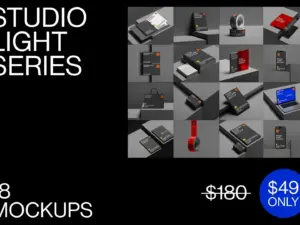
StudioLight Bundle
Sold by Showcase Mockups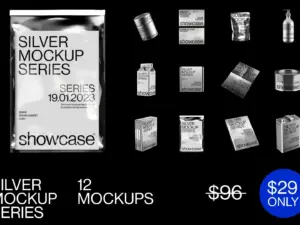
Silver Mockup Bundle
Sold by Showcase Mockups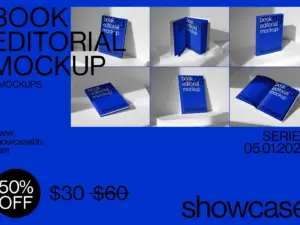
S_Book Mockup Bundle
Sold by Showcase Mockups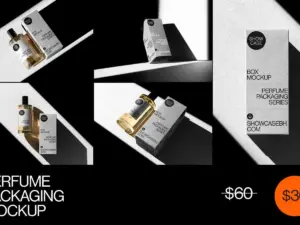
PM_Perfume Packaging Mockup Bundle
Sold by Showcase Mockups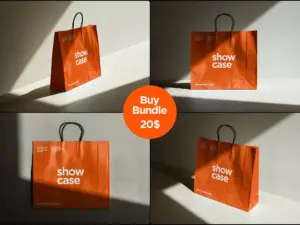
Paper Bag Bundle
Sold by Showcase Mockups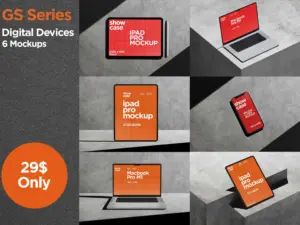
GS_Digital Device Bundle
Sold by Showcase Mockups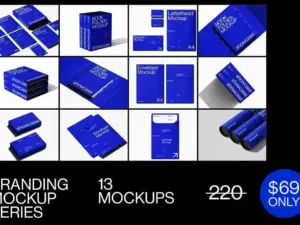
GB_Branding Mockup Bundle
Sold by Showcase MockupsMockup template questions.
Helpful information for choosing and working with professional presentation mockups.
What is a mockup template?
A mockup template is a presentation resource that lets designers place artwork into a realistic or stylized product, environment or display scene.
What are PSD mockups?
PSD mockups are Adobe Photoshop files that may include editable layers, smart objects and presentation effects for inserting your own design.
What can mockups be used for?
Mockups are commonly used for branding presentations, portfolios, packaging concepts, apparel previews, digital product listings and advertising.
What is a smart object mockup?
A smart object mockup typically lets you replace placeholder artwork with your own design while retaining perspective and scene effects.
Are mockups useful for branding projects?
Yes. They can help show how a logo or identity system may appear across stationery, packaging, signage and products.
Can mockups be used for portfolio projects?
Yes. Designers often use mockups to provide context and create stronger visual case-study presentations.
Do all mockups require Photoshop?
Not necessarily, but many mockups in the catalog are PSD-based. Check the specific product page for current software requirements and file formats.
Where can I get help?
Visit the Contact Us page or browse the Brushes Pack FAQ’s.
Mockup templates for professional branding and design presentations.
Mockup templates help designers turn flat artwork into presentations that communicate how a design may look in use. Instead of showing only a logo file, packaging layout or screen design, a mockup can place the work into a product, printed piece, device or environment.
At Brushes Pack, you can explore mockup templates for branding, packaging, apparel, products, devices, posters, stationery and other creative presentation needs.
PSD mockups for graphic designers
PSD mockups are widely used because Photoshop supports layered scenes, masks, blending, effects and smart objects. A well-built mockup can allow designers to update artwork quickly while retaining perspective, lighting and realistic presentation details.
Many mockup resources in the current Brushes Pack catalog are designed for Adobe Photoshop workflows. :contentReference[oaicite:1]{index=1}
Branding mockups
Branding mockups help designers demonstrate how an identity works beyond a standalone logo. Business cards, stationery, signage, packaging and everyday branded objects can help create a more complete presentation.
Brushes Pack currently contains a substantial collection of branding-related mockup resources, including business cards, stationery, bottles, bags and other brand presentation assets. :contentReference[oaicite:2]{index=2}
Packaging mockups
Packaging mockups are useful for boxes, containers, bottles, bags and product labels. They allow designers to review how typography, logos, patterns and color systems work when applied to a physical form.
Packaging scenes can also make client presentations more understandable because stakeholders can see the design in context rather than judging only a flat dieline or label.
Product mockups
Product mockups can cover a broad range of commercial objects, including bottles, boxes, cups, bags, stickers and specialty products.
The Brushes Pack catalog currently includes product-related mockups such as boxes, tote bags, bottles, tablets, notebooks and other presentation objects. :contentReference[oaicite:3]{index=3}
T-shirt and apparel mockups
Apparel mockups are useful for T-shirts, hoodies, jerseys, jackets and merchandise concepts. They help designers see how artwork behaves on fabric, seams and different product views.
Brushes Pack currently includes apparel mockups such as sweatshirts, sports T-shirts, jackets, tote bags and jerseys. :contentReference[oaicite:4]{index=4}
Device mockups
Device mockups help UI designers, web designers and marketers present interfaces on phones, tablets, laptops and other screens.
They are especially useful for portfolio projects, application presentations, website previews and digital campaign graphics.
Poster and billboard mockups
Poster and billboard mockups allow designers to place campaign artwork into walls, streets, public advertising and large-scale environments.
They can help evaluate whether typography and visual hierarchy remain effective when the design is viewed at a larger physical scale.
Book and magazine mockups
Editorial mockups can present covers, spreads, books, magazines and printed promotional material. These scenes are useful for publishing projects and portfolio presentations.
Brushes Pack currently includes book, notebook, poster and magazine-style mockups in its catalog. :contentReference[oaicite:5]{index=5}
Stationery mockups
Stationery mockups can help designers present identity systems across business cards, letterheads, envelopes and office materials.
Using several coordinated mockups can demonstrate that the branding system works consistently across different touchpoints.
Sticker mockups
Sticker mockups can present logos, illustrations and product labels with realistic materials, lighting and surface effects.
The current Brushes Pack catalog includes multiple sticker mockup resources, including holographic and conventional sticker presentations. :contentReference[oaicite:6]{index=6}
Mockups for client presentations
A client may find it difficult to imagine how a flat artwork file will appear in the real world. Mockups can close that communication gap by showing designs on representative products and surfaces.
However, avoid filling every presentation with unnecessary scenes. Choose the mockups that help explain the idea most clearly.
Mockups for portfolios
Mockups can make portfolio projects feel more complete by showing the application of the design system. A branding case study may combine logo work, packaging, stationery and environmental applications.
Consistency matters. Try to choose scenes with lighting, backgrounds and presentation styles that work well together.
Mockups for digital product listings
Digital sellers can use mockups to create polished previews that communicate what the finished design may look like when applied.
For marketplaces and online stores, clear presentation can make the purpose of a design resource easier to understand quickly.
Professional mockup workflows
Professional designers often organize mockups by application, such as Branding, Packaging, Apparel, Devices, Print, Products and Advertising.
Keeping frequently used presentation styles easy to access can reduce the time required to prepare repeated client or portfolio presentations.
Combine mockups with textures
Textures can add further material detail to presentations, particularly when working with print, packaging, posters and branding.
Explore our Digital Textures page for paper, grain, grunge, halftone and distressed resources that can complement design presentations.
Download mockup templates from Brushes Pack
Explore the Mockups collection at Brushes Pack for branding, packaging, apparel, device, product and print presentation resources.
Before purchasing, review each product page for current file formats, included scenes, software requirements and compatibility. You can also browse the complete Brushes Pack shop for digital brushes, textures, actions, presets, templates, overlays and other creative assets.
What designers value in a useful mockup library.
Editorial-style perspectives illustrating the qualities designers often look for when preparing client, portfolio and product presentations.
“I choose mockups based on what the project would actually become. If I am presenting packaging, the container and viewing angle should help the client understand the design immediately.”
“Good mockups save me presentation time, but I still want enough control to adjust backgrounds and scene details so different portfolio projects do not all look identical.”
“For client work, realism is useful only when it keeps the design readable. I prefer clean scenes where the branding stays clearly visible instead of getting lost in props.”
Helpful information before you purchase.
Learn more about Brushes Pack, browse support resources and review important policies for digital products.
Presentation Studio Notes are editorial-style examples representing common creative viewpoints and are not presented as verified purchase testimonials.
Continue building your presentation toolkit.
Combine mockup templates with textures, design templates, graphics and other creative assets for stronger presentations.
Turn your designs into stronger presentations.
Explore branding, packaging, apparel, device, product and print mockup templates for professional creative presentations at Brushes Pack.