
Welcome back, creative fam! 🎨✨ We’re diving into the incredible ArtistMef Collection Part 10, and trust me, this is a treasure trove you don’t want to miss. Whether you’re a seasoned graphic designer, a passionate photographer, or just starting your digital art journey, these 20 stunning overlay and texture packs are about to supercharge your creative projects! 🚀
Why Use These ArtistMef Resources?
ArtistMef is a powerhouse in the digital art community, known for crafting high-quality, versatile overlays that bring instant mood, texture, and drama to your work. From fiery explosions to gentle rain, from playful bubbles to rustic wood textures, these packs are your secret weapons for making your visuals pop without spending hours on complex compositing. 🎯 Simply drag, drop, and watch your art transform!
Top 20 ArtistMef Picks
75 Sunshine Overlays

Bring the golden hour to your designs instantly! 🌞 These 75 vibrant sunshine overlays are perfect for adding that warm, dreamy glow to any photo or project. Instant mood booster, guaranteed!
75 Smoke Overlays

Add instant depth and mystery to your scenes! 🌫️ These 75 smoke overlays are perfect for creating atmospheric fog, dramatic steam, or hauntingly beautiful abstracts. Your photos will thank you!
75 Lightning Overlays Vol. 3
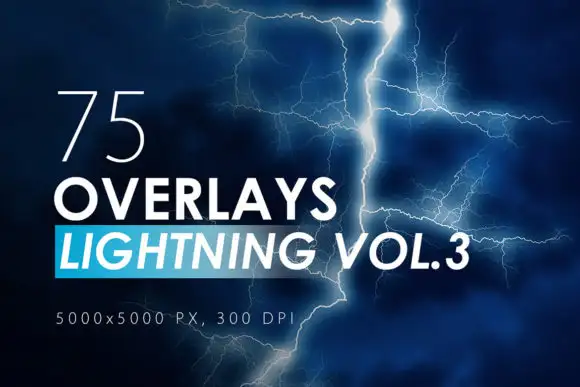
Electrify your designs with a bolt of pure energy! ⚡️ Vol. 3 delivers 75 new, powerful lightning strikes that will make your visual storytelling absolutely epic. Watch your art come alive!
75 Lightning Overlays Vol. 2

Supercharge your projects with even more electrifying flair! 🌩️ This second volume of lightning overlays is packed with dramatic bolts ideal for cinematic edits and fantasy art.
75 Electric Flash Overlays

Need a striking pop of energy? ⚡️ These 75 electric flash overlays deliver crisp, high-voltage bursts of light that are perfect for action shots, music posters, and dynamic designs.
75 Abstract Fire Overlays Vol. 2

Ignite your creativity with even more fiery magic! 🔥 This second volume of abstract fire overlays offers stunning, fluid flame textures that will heat up any composition.
75 Abstract Fire Overlays Vol. 1

The original fire starter! 🔥✨ Vol. 1 features 75 breathtaking abstract fire overlays that breathe life and heat into your designs. Perfect for adding a touch of inferno to your art.
66 Plastic Overlays

Get that gorgeous, glossy, translucent look! 🎨 These 66 plastic overlays are incredible for adding modern textures, shiny reflections, and a fresh, contemporary vibe to any project.
66 Long Strokes Ink Shapes

Make a bold, sweeping statement! 🖋️ These 66 long strokes and ink shapes are perfect for adding elegant calligraphy-style elements, dynamic lines, and artistic flair to your compositions.
50 Wood Texture Photoshop Stamp Brushes

Bring the warmth of nature to your canvas! 🌲✨ These 50 wood texture stamp brushes are perfect for adding rustic charm, organic grain, and earthy depth to your digital art.
50 Water Drops Overlays
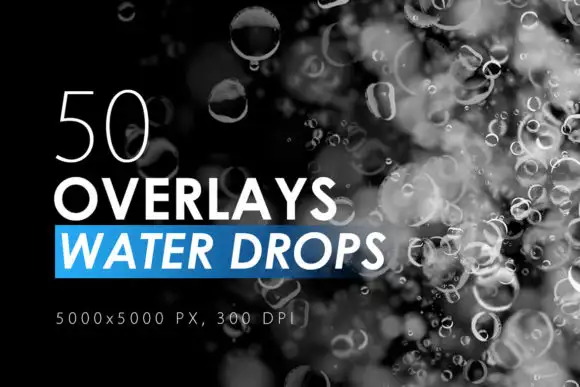
Sprinkle some fresh, dewy magic onto your images! 🌊✨ These 50 water drop overlays are perfect for adding realism, freshness, and a sparkling, wet look to your photos.
50 Rain Overlays

Set the mood with a beautiful, cinematic downpour! 🌧️ These 50 rain overlays are perfect for creating dramatic, moody, or romantic atmospheres in your photos and videos.
50 Light Leaks Overlays
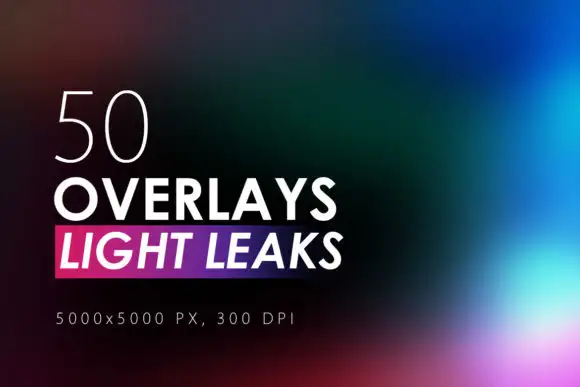
Add that dreamy, vintage cinematic flair! 🎥✨ These 50 light leak overlays are a classic must-have for photographers and designers who want gorgeous, ethereal color washes over their images.
50 Flare & Stars Overlays Volume 2

Sprinkle some celestial magic with more stunning flares and stars! 🌟 Volume 2 is packed with mesmerizing sparkles that will make your designs truly shine and pop.
50 Flare & Stars Overlays Volume 1
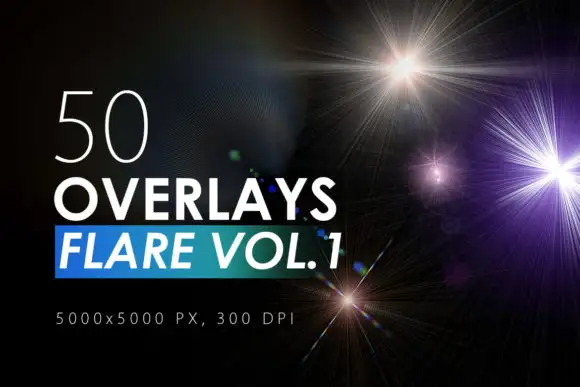
The original star-studded pack! ✨ This collection of 50 flares and stars is perfect for adding that fairytale, whimsical touch to your photos and graphic designs.
50 Digital Fire Overlays
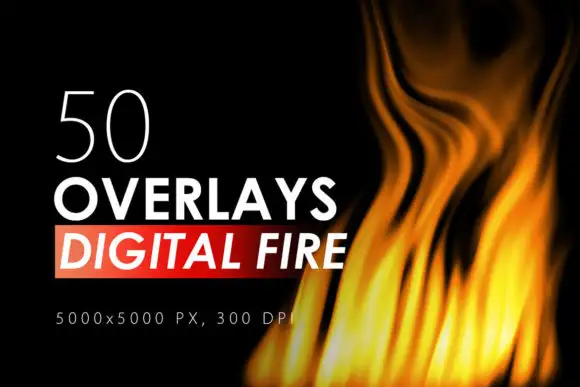
Set your artwork ablaze with sizzling, high-res fire! 🔥 These 50 digital fire overlays are massive at 5000×5000 pixels and perfect for branding, posters, or fantasy art.
50 Bubble Overlays

Add a splash of playful, whimsical fun! 🎉🌈 These 50 bubble overlays are perfect for creating magical, dreamy scenes, party vibes, or underwater fantasy worlds.
48 Geometric Ink Shapes

Unlock a world of modern, structured creativity! 🎉 These 48 geometric ink shapes combine organic ink textures with sharp geometry for totally unique design elements.
42 Isolated Plastic Shapes

Bring a playful, modern twist to your layouts! 🎨 These 42 isolated plastic shapes are perfect for adding colorful, glossy, and fun elements to educational materials, branding, or social media posts.
45 Ink Strokes

Get that beautiful, hand-crafted ink look instantly! 🖌️ These 45 high-resolution ink strokes are perfect for adding texture, movement, and an authentic artistic touch to any digital project.
Conclusion
And there you have it—the ultimate roundup of the ArtistMef Collection Part 10! From fiery infernos and sunny skies to playful bubbles and elegant ink strokes, you now have a fantastic arsenal of 20 pro-level resources to elevate your digital art game. 🚀 Don’t wait to give your creativity the upgrade it deserves—head over to ArtistMef’s store and grab your favorites today! Let’s make some art magic happen! 🎨✨
Frequently Asked Questions
What format do these ArtistMef overlays come in?
Most overlay packs come as high-resolution PNG files with transparent backgrounds, perfect for dragging and dropping into Adobe Photoshop or other photo editing software. Some packs, like the Wood Texture Stamps, are provided as .ABR brush files for Photoshop.
Can I use these overlays for commercial projects?
Yes! The ArtistMef resources are designed for both personal and commercial use. However, it’s always a good practice to double-check the specific license terms provided with each pack to ensure it fits your project’s needs.
How do I apply an overlay in Photoshop?
It’s super easy! Simply open your image in Photoshop, then drag and drop the overlay PNG file onto your canvas. Change the blending mode of the overlay layer (e.g., to Screen, Overlay, or Soft Light) and adjust the opacity for the perfect effect. For brush packs, load the .ABR file via the Brush Preset Picker.



