
Hey there, creative soul! 🎨✨ Ready to dive into a treasure trove of artistic magic? Today, I’m absolutely thrilled to walk you through the studioretouch Collection Part 14—a jaw-dropping lineup of 20 Photoshop actions that will turn your ordinary photos into stunning masterpieces. Whether you’re a seasoned designer, a passionate photographer, or just someone who loves to play with color, this collection has something special for everyone! 🚀
Why Use These studioretouch Actions?
These aren’t just any filters—they’re your ticket to instant creativity. With a single click, you can mimic the texture of real oil paints, the flow of watercolors, or the charm of hand-drawn sketches. Perfect for social media graphics, portrait retouching, or just having fun with your personal photo album. Plus, they save you hours of manual work! ⏳💥
Top 20 studioretouch Collection Picks
Original Watercolor Photoshop Action
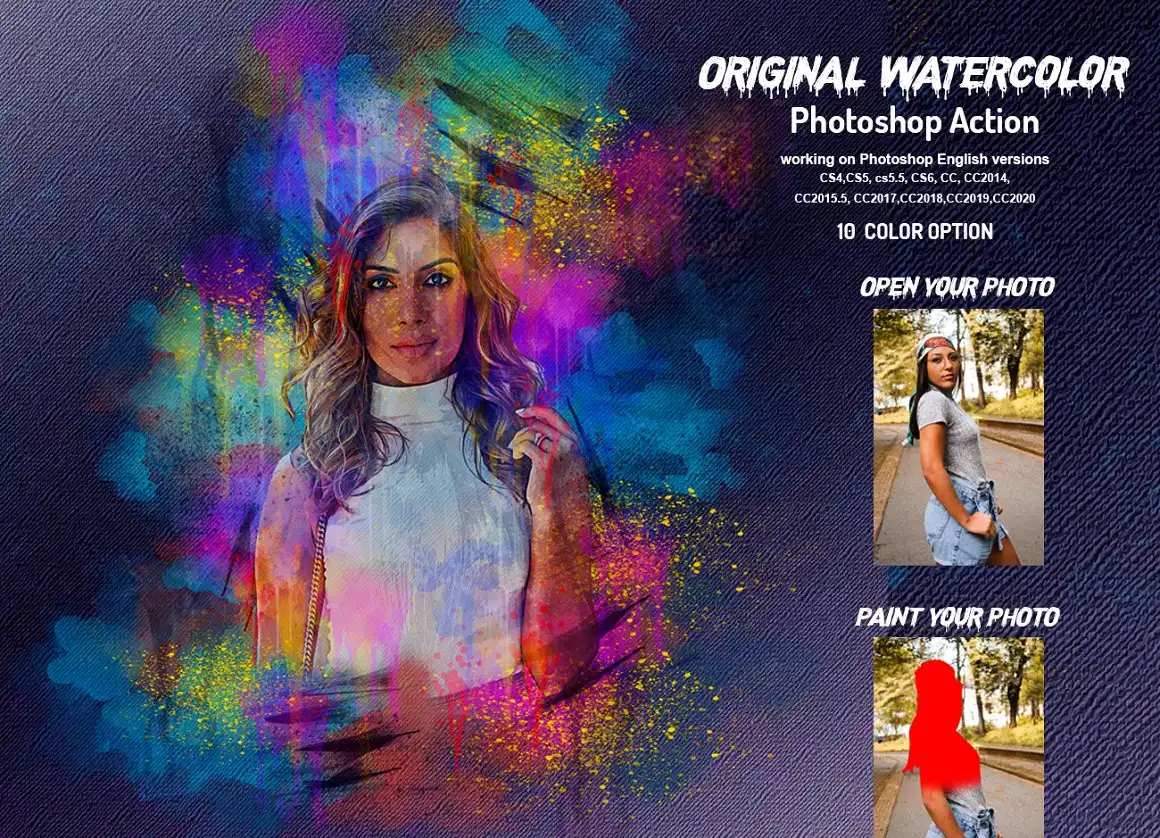
Bring the dreamy, fluid charm of watercolor to your photos! 🎨 This action creates soft, painterly washes that look like they were brushed on by hand. Perfect for romantic portraits or whimsical landscapes.
✨ Get This Now by studioretouch
Original Drawing Photoshop Action
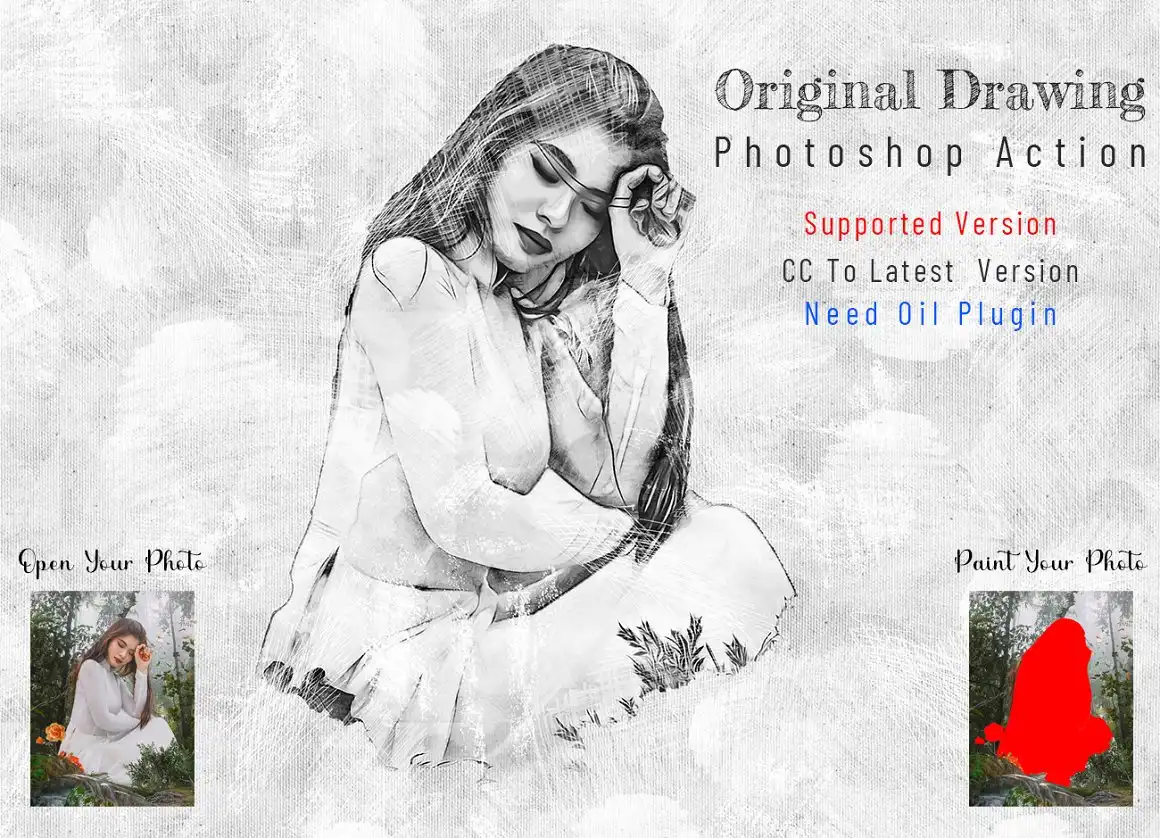
Transform your snapshots into hand-sketched works of art! ✏️ This action delivers crisp, pencil-like strokes that give your images a raw, authentic sketchbook vibe. Ideal for creating custom illustrations from photos.
✨ Get This Now by studioretouch
Old Oil Paint Photoshop Action

Love that vintage, Old Masters look? 🖼️ This action applies rich, textured oil strokes that make any photo feel like a classic canvas painting from a museum.
✨ Get This Now by studioretouch
Oil Vectorize Photoshop Action
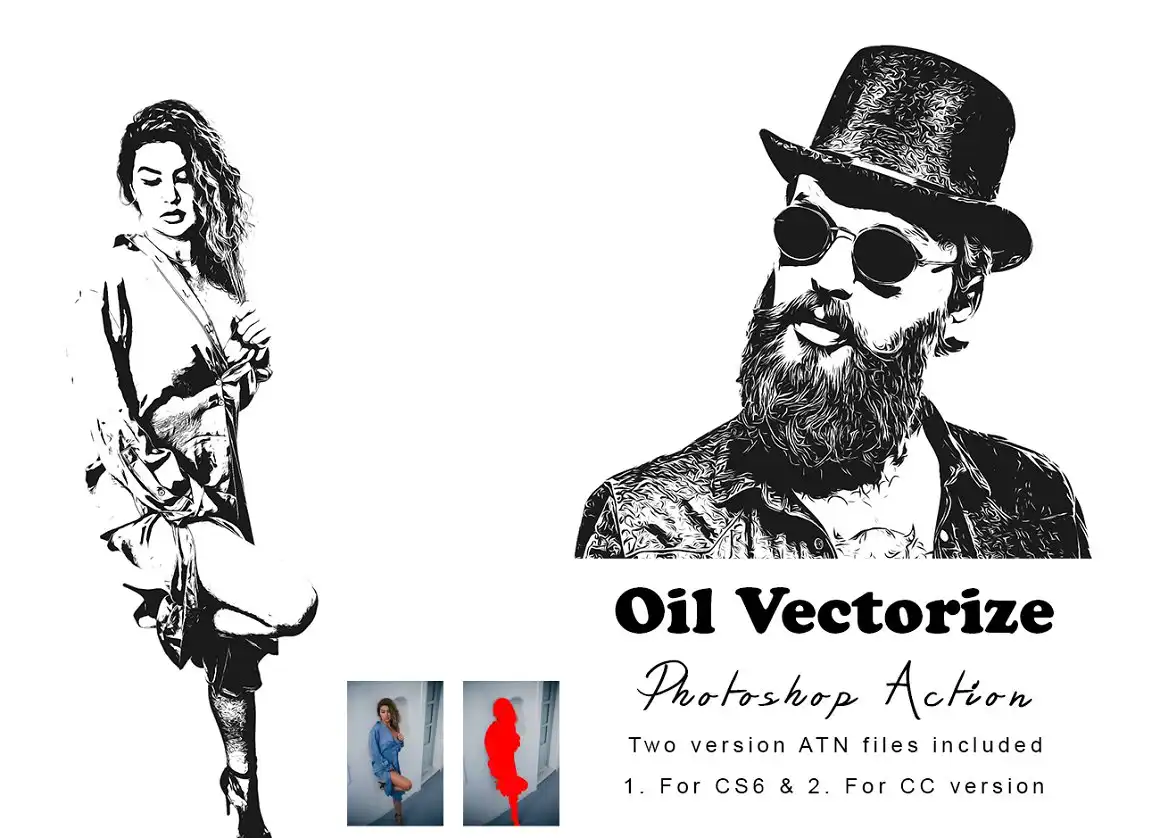
Bold, clean, and super modern! 🌟 This action blends oil paint textures with a vectorized look, creating sharp, colorful art that pops. Awesome for logos or trendy poster art.
✨ Get This Now by studioretouch
Oil Vector Graphic Photoshop Action

Another vector gem! 🎯 This one creates a graphic, posterized oil effect with crisp edges and vivid colors. Perfect for contemporary wall art or branding assets.
✨ Get This Now by studioretouch
Oil Sketch Photoshop Action
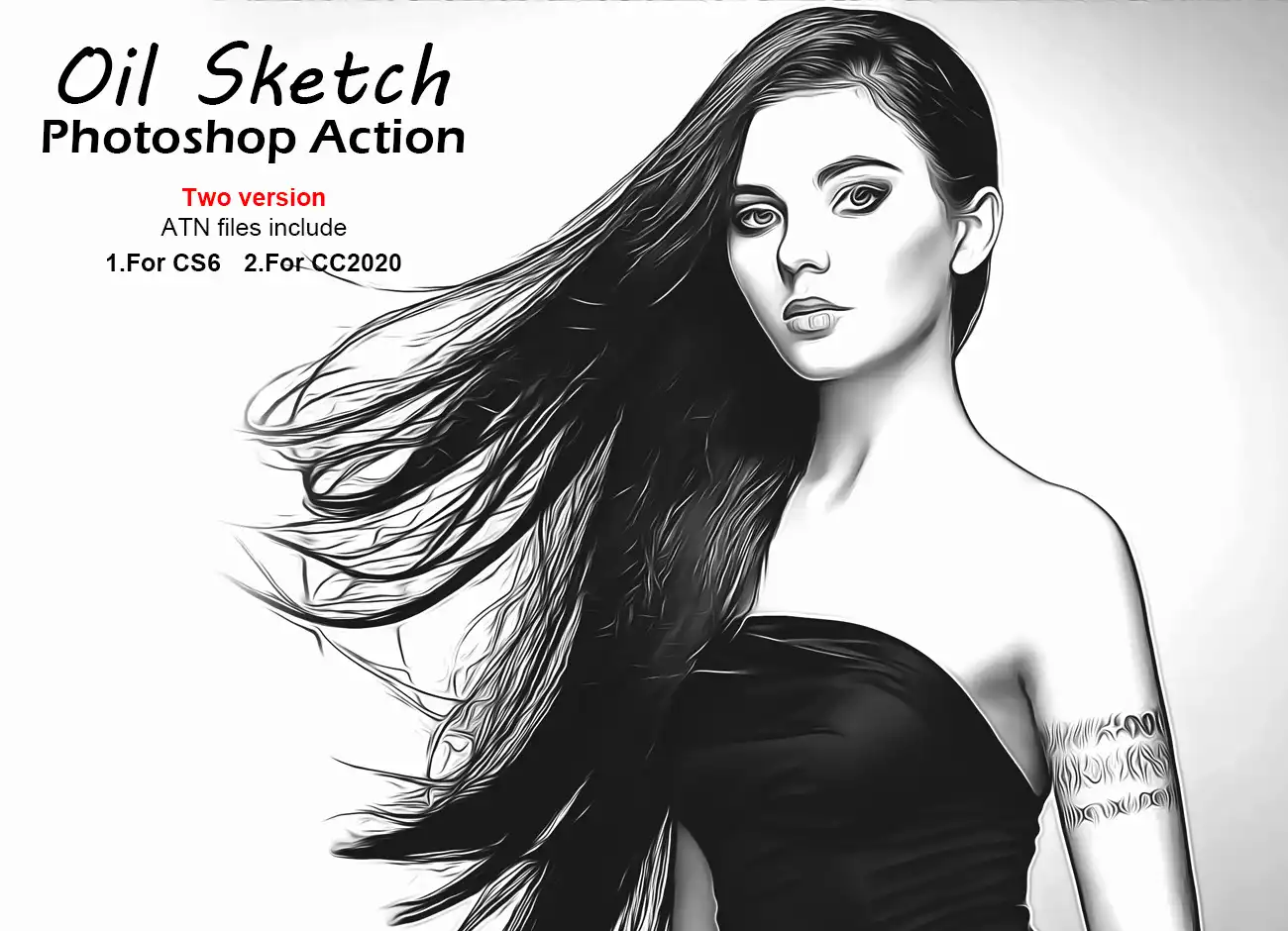
The perfect marriage of sketch and oil! ✨ Your photos get those beautiful rough charcoal lines mixed with luscious oil smudges. Gives such a moody, artistic flair.
✨ Get This Now by studioretouch
Oil Sketch Art Photoshop Action

Taking the sketch-oil hybrid to the next level! 🖌️ This action adds more depth and texture, making your images look like they belong in an exclusive art gallery.
✨ Get This Now by studioretouch
Oil Retouching Photoshop Action

Want to give your portraits a silky, painterly finish? 💁♀️ This action is your best friend! It smooths skin, enhances features, and adds a gorgeous oil paint texture all at once.
✨ Get This Now by studioretouch
Oil Portrait Photoshop Action V-5
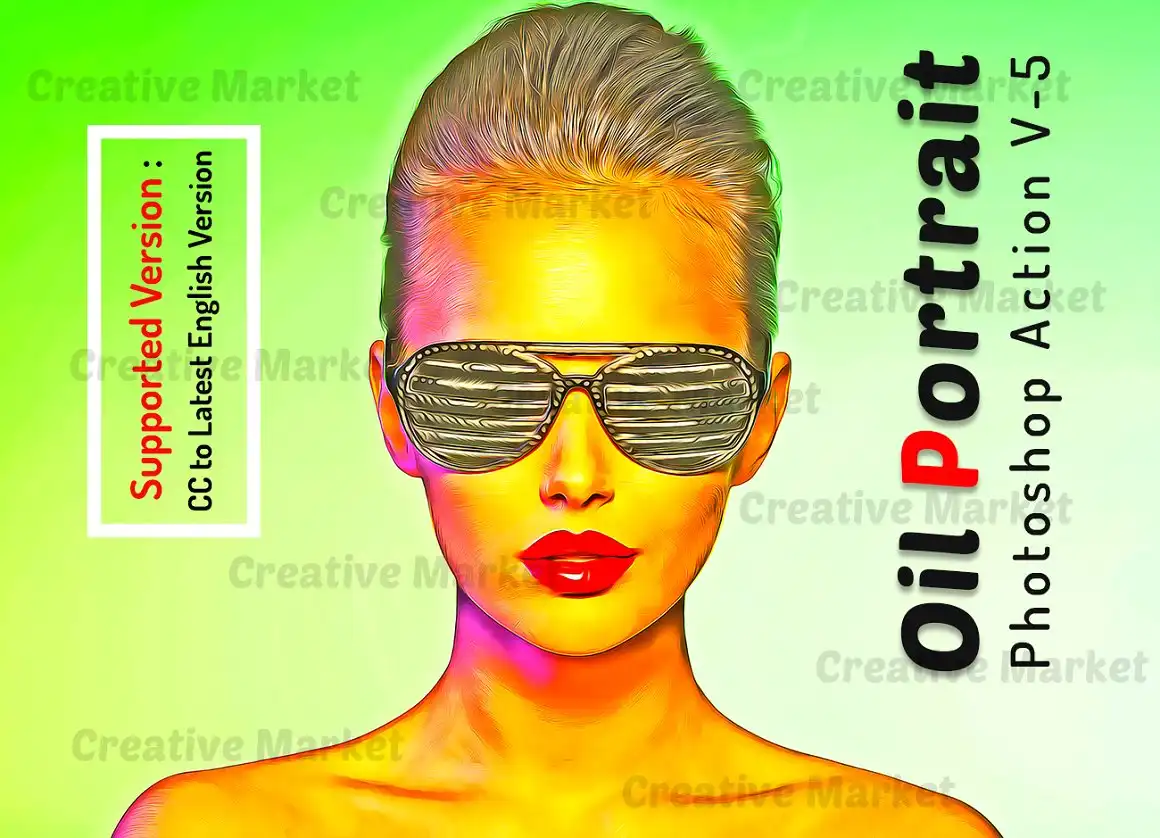
Version 5 and it’s a total game-changer! 🏆 Specialized for portraits, it brings out the eyes, lips, and skin tones with a luscious oil finish that feels incredibly premium.
✨ Get This Now by studioretouch
Oil Photography Action
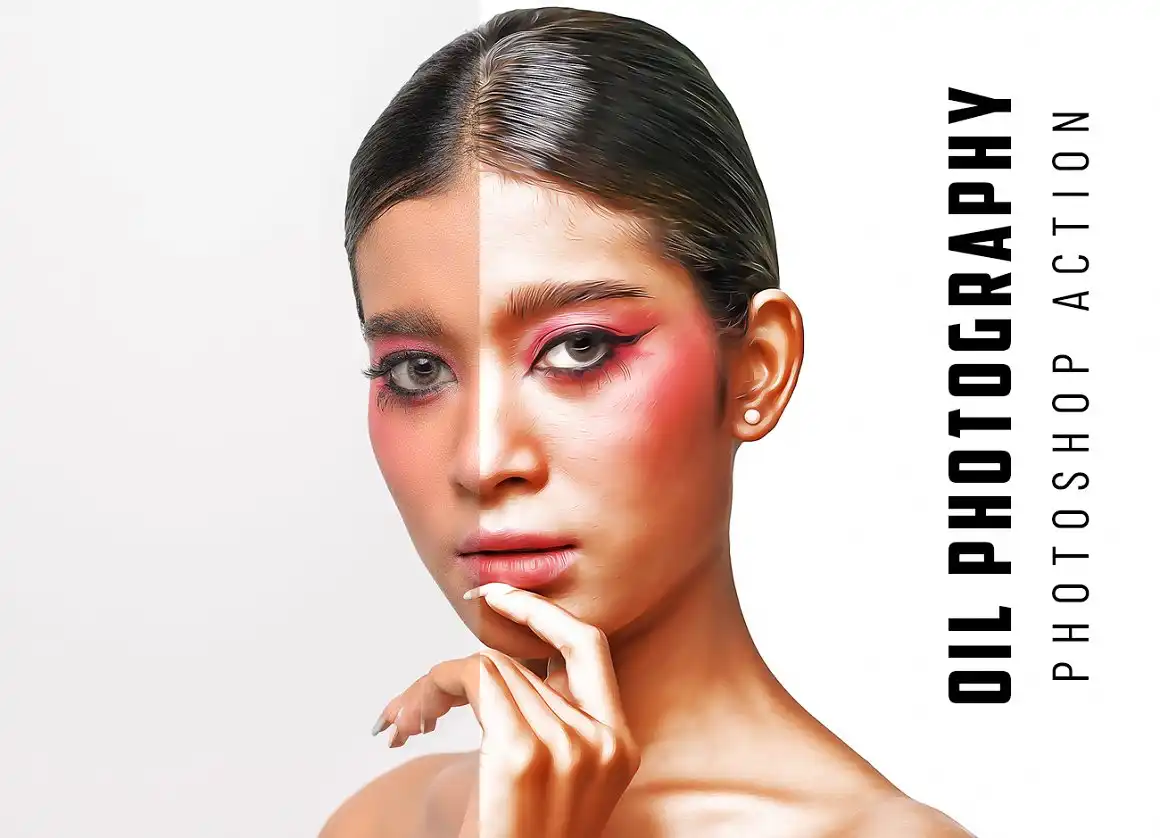
A versatile all-rounder! 📸 Whether it’s landscapes, still life, or urban shots, this action adds a beautiful, consistent oil texture that elevates any photograph instantly.
✨ Get This Now by studioretouch
Oil Painting Photoshop Action V-2
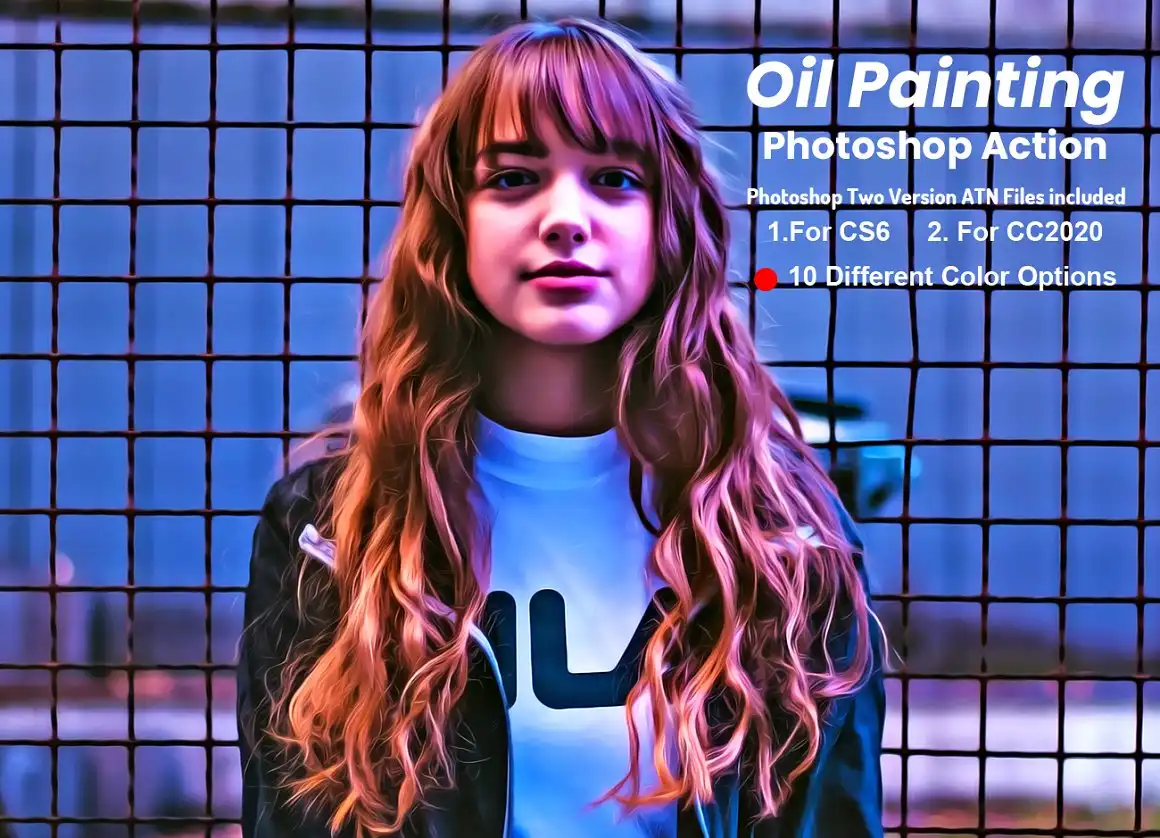
Classic oil painting effect with a refined touch! 🖼️ V-2 gives you thicker brush strokes and richer color blending. It’s like having a virtual palette knife at your fingertips.
✨ Get This Now by studioretouch
Oil Painting Photoshop Action V-4
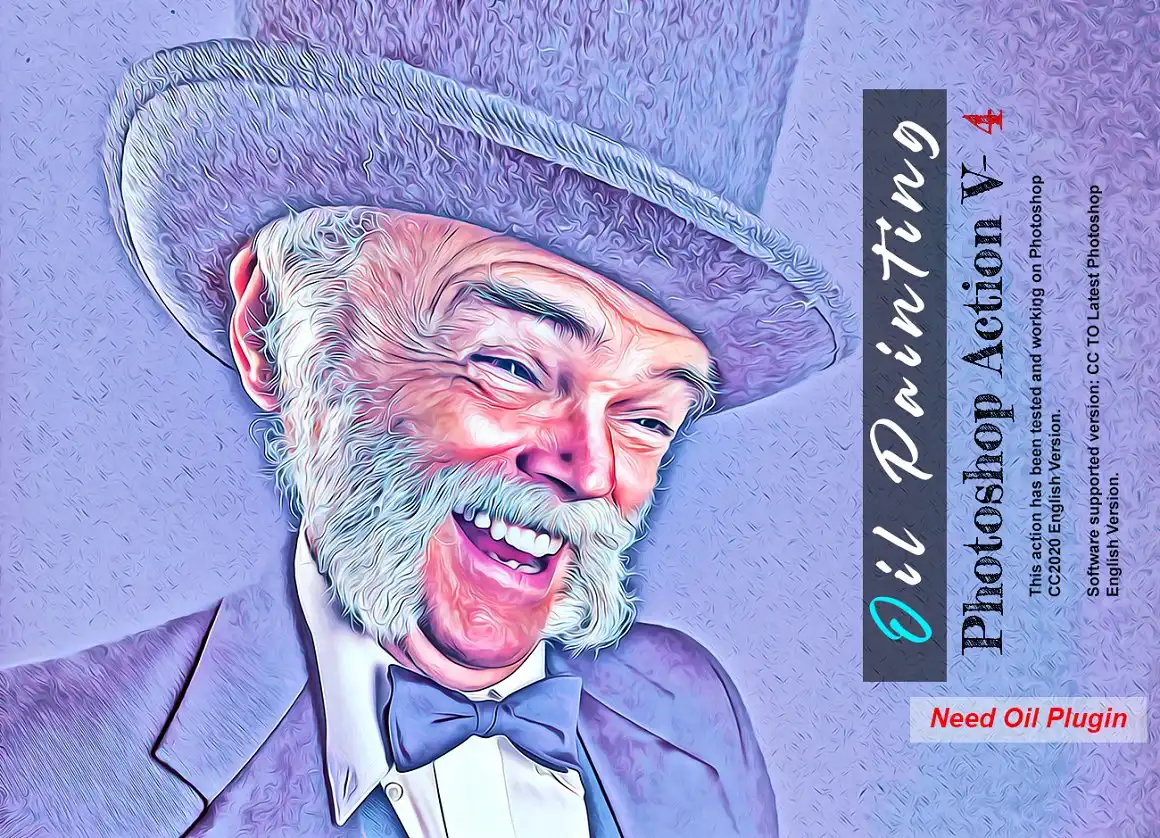
Stepping up the game with V-4! 🚀 This version offers incredible detail preservation—even your fine hairs and tiny textures get the royal oil treatment. Truly impressive.
✨ Get This Now by studioretouch
Oil Paint Photoshop Action
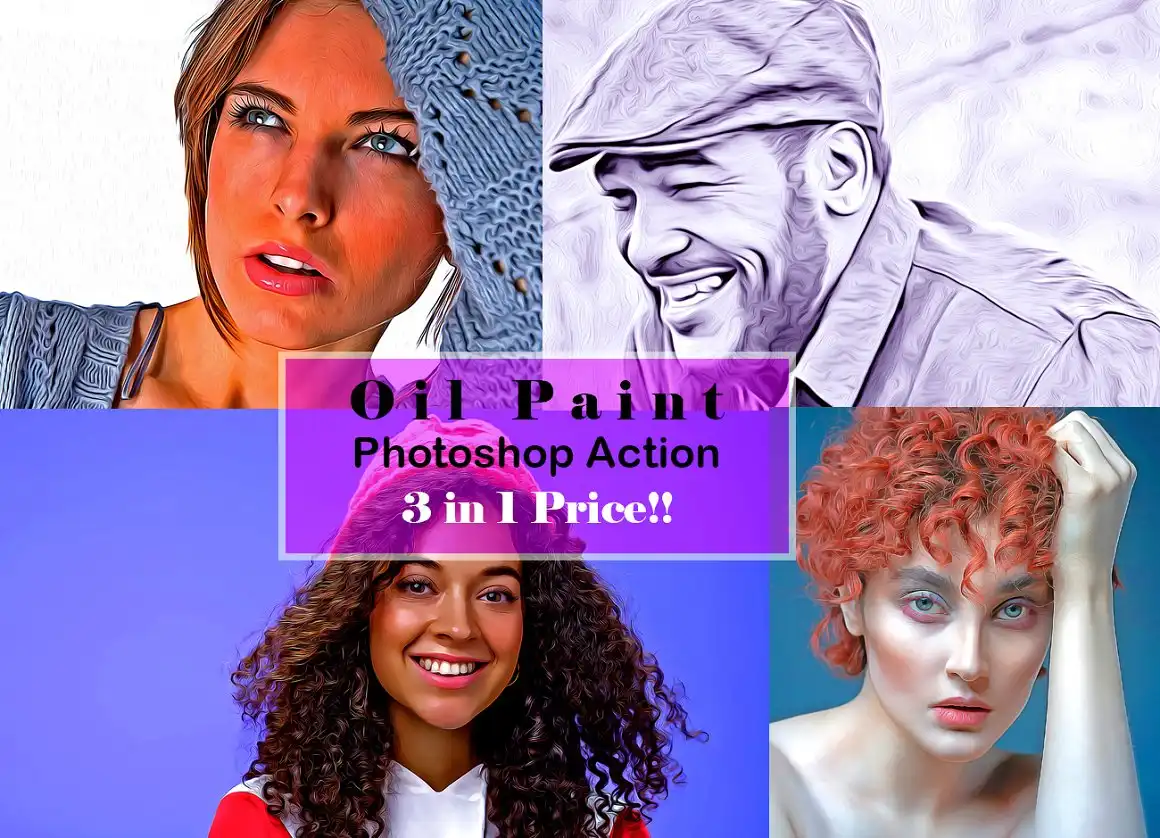
The name says it all 🎯—pure, luscious oil paint magic. This action is fantastic for creating bold, colorful art pieces from your everyday photos.
✨ Get This Now by studioretouch
Oil Outline Sketch PS Action

Outline meets oil! 🖊️ This action keeps the bold, dark lines of a sketch while filling in with vibrant oil colors. Think comic book art meets classic painting. So cool!
✨ Get This Now by studioretouch
Oil Effect 2 Photoshop Action

Double the effect, double the fun! 🎉 This action layers a gorgeous oil texture on your images with a softer, more diffused look. Perfect for dreamy, ethereal edits.
✨ Get This Now by studioretouch
Oil Dodge & Burn PS Action
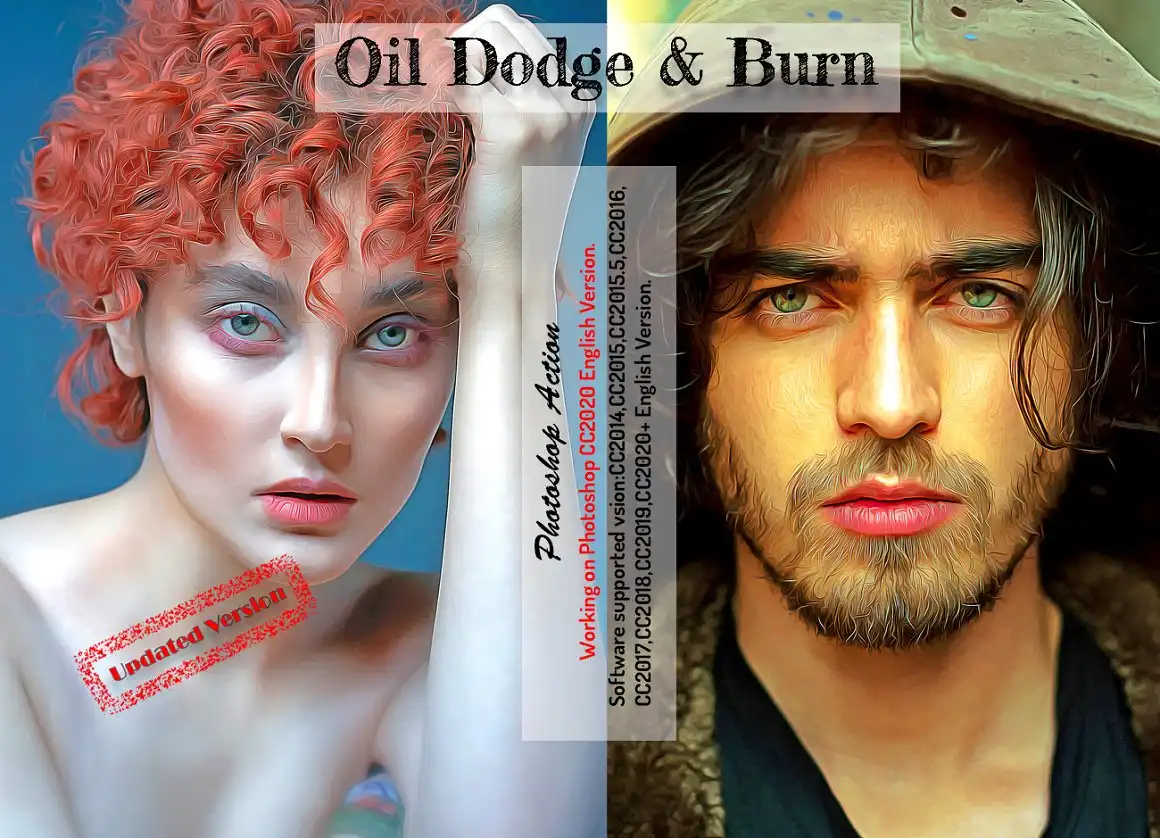
Professional color grading meets oil painting! 💡 This action enhances your highlights and shadows before applying the oil effect, giving your image incredible depth and drama.
✨ Get This Now by studioretouch
Oil Canvas Sketch Photoshop Action

Canvas texture lovers, this one’s for you! 🖼️ It mimics the rough weave of canvas underneath beautiful oil strokes. Plus, you get 10 different color options to play with!
✨ Get This Now by studioretouch
Oil Canvas Art Photoshop Action
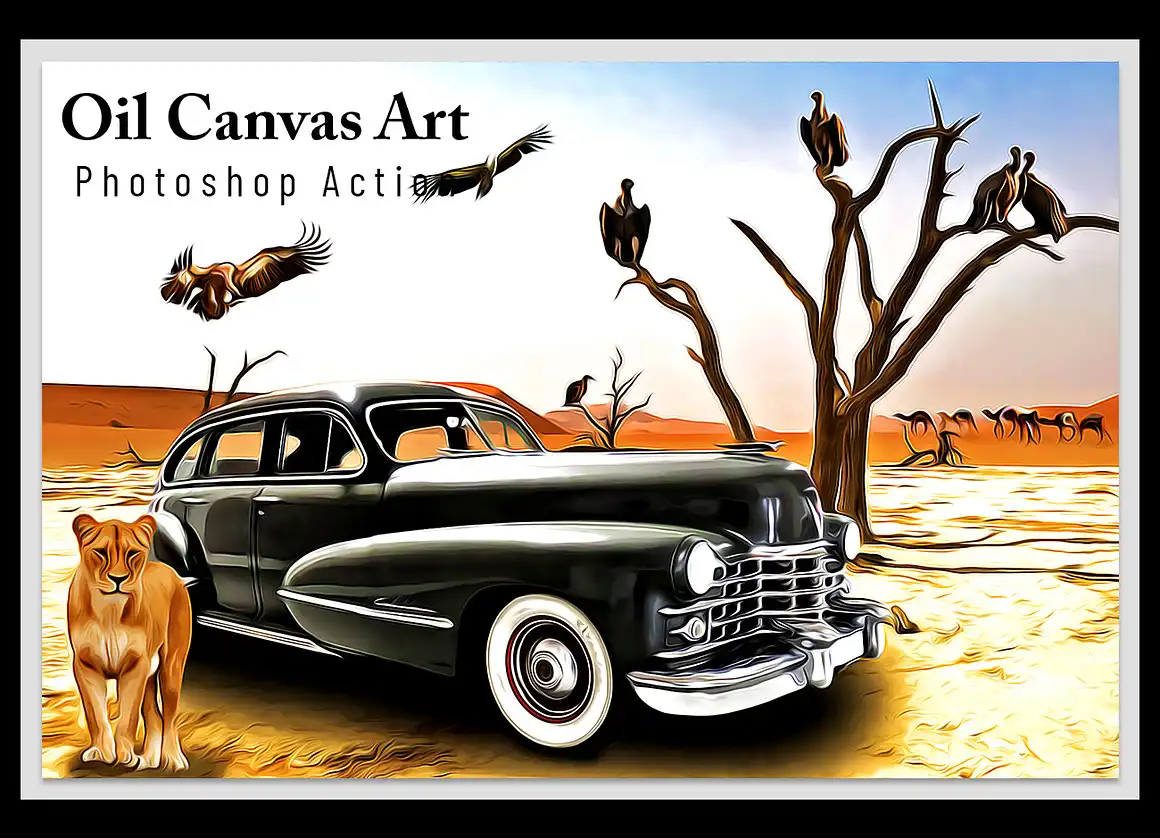
Turn your photos into gallery-worthy canvas art! 🖌️ The texturing in this action is so realistic, you’ll almost feel the paint under your fingers. Stunning for prints.
✨ Get This Now by studioretouch
Oil Artwork Photoshop Action

This one is pure artistry! 🌟 The Oil Artwork action creates a highly stylized, textured oil look that makes every image feel like a one-of-a-kind masterpiece. Absolutely gorgeous for abstract shots.
✨ Get This Now by studioretouch
Oil Acid Color Photoshop Action
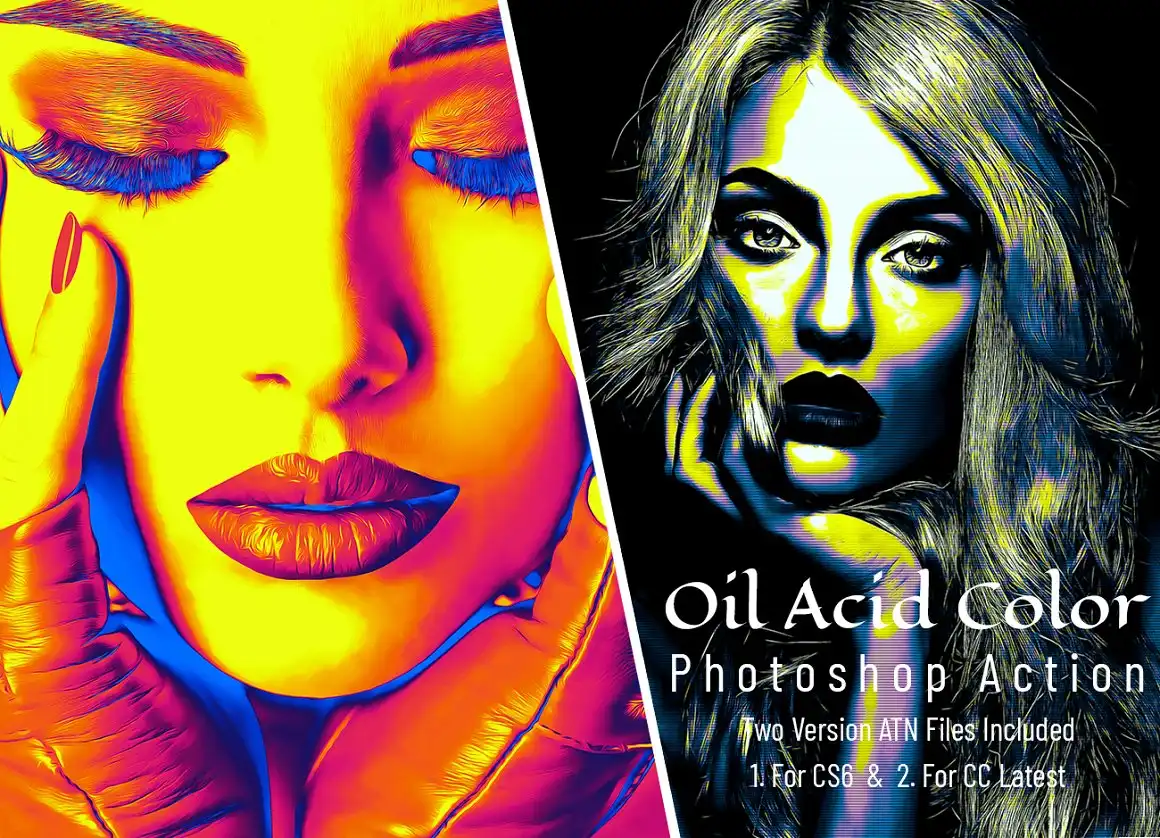
Ready for a wild ride?🌈 This action cranks up the saturation and contrast to create trippy, vibrant oil paintings. Perfect for music posters, album art, or just something totally out of the box!
✨ Get This Now by studioretouch
Conclusion
And there you have it, my friend—the complete studioretouch Collection Part 14! 🎉 With 20 incredible Photoshop actions ranging from delicate watercolors to bold acid oils, you have everything you need to give your photos a stunning, artistic makeover. Don’t wait—each action is just a click away to start transforming your creative projects today! 🚀✨
Frequently Asked Questions
Are these Photoshop actions compatible with all versions of Photoshop?
Yes! These actions are designed to work with most modern versions of Adobe Photoshop (CS6 and above). Just make sure you’re using an English-language version for the best compatibility.
Can I use these actions on commercial projects?
Absolutely! Once you download the actions, you are free to use them on any personal or commercial project. No extra licensing fees needed!
Do I need any special brushes or fonts to run these actions?
Nope! Each action comes fully loaded with everything you need. Just load the action into Photoshop, open your image, and hit play. It’s that simple! 😊



