
Clip Studio Paint brushes & creative assets for artists.
Explore Clip Studio Paint brushes, ink tools, manga brushes, textures, effects and creative digital assets for illustration, comics, character art and professional drawing workflows at Brushes Pack.
Build your Clip Studio Paint toolkit around the art you create.
Discover brushes and resources for sketching, comics, manga, line art, painting, texture work and character illustration.
Drawing & Pencil Brushes
Sketch, graphite and pencil-style brushes for studies, rough drawings and detailed character work.
Explore drawing brushes →Ink & Line Art
Clean, textured and expressive inking tools for comics, manga and polished illustration.
Browse inking brushes →Manga Brushes
Resources for speed lines, tone work, expressive marks, character detail and comic production.
Explore manga brushes →Painting Brushes
Brushes for digital painting, color rendering, blending and painterly illustration workflows.
Browse painting brushes →Textures & Effects
Add grain, halftone, paper, atmosphere and visual detail to comic and illustration projects.
Explore textures →Creative Bundles
Build a larger toolkit with coordinated brush packs and related resources for Clip Studio Paint.
Browse bundles →A good CSP brush library should make drawing easier, not harder.
Organize tools around the stages of your artwork so you can move from rough concepts to finished illustrations without searching through hundreds of similar brushes.
Choose brushes around your style
Comic artists, painters, manga artists and concept designers may need very different brush behaviors.
Keep core tools easy to reach
Use a dependable sketch, ink and painting set before adding more specialized brushes.
Use textures with purpose
Halftone, grain and paper effects work best when they support the visual style rather than overwhelm it.
Check product compatibility
Review each product page for current file formats, software requirements and included resources.
Build your artwork one creative stage at a time.
Organize Clip Studio Paint resources around a practical drawing and illustration process.
Sketch
Explore pose, composition and character ideas with loose drawing brushes.
Refine
Develop cleaner shapes and strengthen the structure of the drawing.
Ink
Add finished contours and expressive line weight with inking brushes.
Paint
Build color, lighting and form with painting and rendering tools.
Finish
Add textures, tones and final visual effects before exporting.
Explore Clip Studio Paint resources by style and creative need.
Discover popular search terms for Clip Studio Paint brushes, manga resources and digital illustration tools.
New Clip Studio Paint arrivals.
Explore recently added Clip Studio Paint brushes and digital resources. This section automatically updates as new products are published.
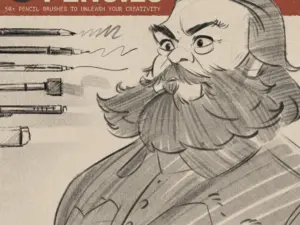
LP Pencil Brushes
Sold by lucaspeinador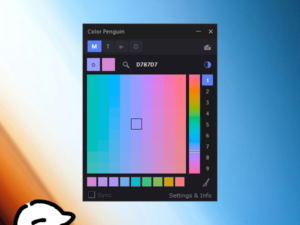
Color Penguin Pro v1.9.97 (for CSP & Rebelle pro) – 🍕🐧’s Ko-fi Shop
Sold by 🍕🐧's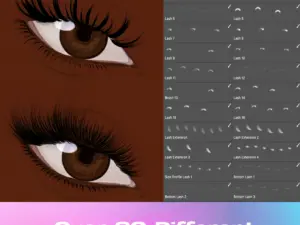
Clip Studio Paint, Photoshop & Fresco Lash Stamp Brushes
Sold by Vegalia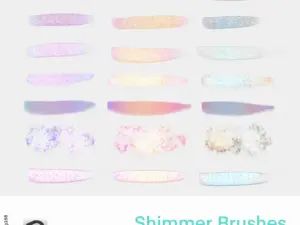
[CSP] Shimmer brushes by GojiJung158
Sold by gojijung158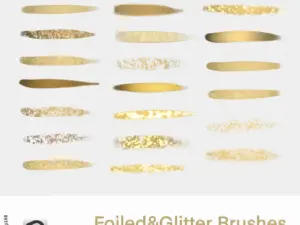
[CSP] Foiled&Glitter Brushes
Sold by gojijung158
COFE’s Ultimate Pencil Pack | Ver 2.0 | Clip Studio Paint
Sold by GH Kim
Scapefiend’s Finest Brushes! for Clip Studio Paint & Manga Studio
Sold by scapefiend
RETRO DELUXE – brushes for Clip Studio Paint
Sold by scapefiendClip Studio Paint brush questions.
Helpful information for choosing and organizing Clip Studio Paint resources.
What are Clip Studio Paint brushes?
Clip Studio Paint brushes are digital drawing tools used for sketching, inking, painting, shading, texturing and other creative techniques.
What does CSP mean?
CSP is a commonly used abbreviation for Clip Studio Paint.
What types of CSP brushes can I find?
Collections may include pencil, ink, manga, comic, painting, texture, halftone and other specialized brush packs.
Are CSP brushes good for manga and comics?
Many Clip Studio Paint brushes are specifically created for manga, comics, line art and character illustration workflows.
Can beginners use Clip Studio Paint brush packs?
Yes. Beginners can benefit from smaller sets of dependable tools while learning how different brushes respond to pressure, size and opacity.
Can I combine different CSP brush packs?
Yes. Artists often combine sketching, inking, painting and texture brushes to build a personal creative toolkit.
How do I know if a product works with Clip Studio Paint?
Check the individual product page for current compatibility information and included file formats before ordering.
Where can I get support?
Visit the Contact Us page or browse the Brushes Pack FAQ’s.
Clip Studio Paint brushes and digital assets for illustration, comics and manga.
Clip Studio Paint is widely used by illustrators, manga artists, comic creators, concept artists and digital painters. A useful collection of Clip Studio Paint brushes can support the entire creative process, from loose sketches and clean line art to color, texture and final detail.
At Brushes Pack, artists can explore CSP brushes and creative digital assets designed around different illustration styles and workflows.
CSP brushes for digital drawing
Drawing brushes are often the foundation of a Clip Studio Paint toolkit. Pencil, graphite and textured sketch brushes can help artists develop poses, compositions and visual ideas before moving into more refined stages.
A responsive drawing brush can also make digital sketching feel more natural and expressive.
Clip Studio Paint brushes for manga artists
Manga production often requires a combination of clean line work, expressive strokes, tones, textures and repeated effects.
Specialized manga brushes can make some of these tasks faster while helping artists maintain consistency across pages and panels.
Inking brushes for comics and line art
Inking brushes are especially important for artists who rely on line weight and contour. A brush may produce smooth technical lines, rough dry-ink marks or expressive pressure-sensitive strokes.
Different inking styles can dramatically change the personality of the final artwork.
Pencil brushes for Clip Studio Paint
Pencil brushes can recreate smooth graphite, grainy sketch textures and loose construction lines. These tools are useful for concept development, character studies and finished monochrome drawing.
Keeping one or two dependable sketch brushes easy to reach can make a drawing workflow more efficient.
Painting brushes for CSP
Clip Studio Paint can also support full digital painting workflows. Painting brushes can be used for rendering form, blending color, creating painterly edges and building atmosphere.
Artists may combine soft rendering brushes with textured tools to avoid overly uniform surfaces.
Texture brushes and halftone effects
Textures can introduce grain, paper, noise, halftone and other surface qualities that help digital artwork feel less mechanical.
You can also explore additional digital textures for broader creative use across software.
Clip Studio Paint brush packs for character artists
Character illustration may involve sketching, clean lines, hair detail, fabric, skin rendering and environmental effects. Specialized brush packs can help artists handle some of these visual tasks more efficiently.
However, it is usually best to build a toolkit gradually rather than importing every available brush at once.
Clip Studio Paint resources for beginners
Beginners can start with a small group of general-purpose brushes for sketching, line art and painting. Learning how those brushes respond to pen pressure and brush settings can be more useful than immediately collecting hundreds of options.
As your workflow develops, add specialty brushes for techniques you use frequently.
CSP resources for professional artists
Professional artists often need consistency and speed across multiple illustrations or pages. A carefully organized library can reduce repetitive setup and make it easier to maintain a visual style.
Brushes, textures and effects should support the artist’s process rather than replace creative decisions.
Organize your Clip Studio Paint brush library
Consider separating brushes into categories such as Sketch, Ink, Paint, Texture, Manga and Special Effects. Keeping frequently used tools near the top can reduce interruptions while drawing.
Remove or archive brushes you rarely use so your active workspace remains manageable.
Download Clip Studio Paint brushes from Brushes Pack
Explore the Clip Studio Paint collection at Brushes Pack for brushes and creative resources for manga, comics, digital painting and illustration.
Before purchasing, review the individual product description for included files and compatibility information. You can also browse the complete Brushes Pack shop for Procreate, Photoshop, Illustrator, Affinity and other creative software.
What illustrators value in a useful Clip Studio Paint toolkit.
Editorial-style artist perspectives highlighting the kinds of qualities creators often look for when building a CSP brush library.
“For character work I usually need a good pencil brush, one dependable inking tool and a few texture brushes. If those feel right, I can handle most of the drawing without constantly changing tools.”
“I like CSP brushes that respond clearly to pressure because line weight matters a lot in comic work. A good inking brush makes it easier to keep the page expressive without losing control.”
“I keep my brush library fairly small and add specialty tools only when I need them. Manga tones, texture brushes and effects are useful, but I still want my main drawing tools to stay simple and predictable.”
Helpful information before you purchase.
Learn more about Brushes Pack, find support resources and review store policies for digital downloads.
Artist Perspectives are editorial-style examples representing common creative viewpoints and are not presented as verified purchase testimonials.
Continue building your creative toolkit.
Discover complementary Brushes Pack collections for illustration, painting, graphic design and digital art.
Find your next Clip Studio Paint brush at Brushes Pack.
Explore CSP brushes, manga tools, textures and creative digital assets designed for illustration, comics, character art and digital drawing workflows.