
Affinity Designer brushes & digital assets for modern creative work.
Explore Affinity Designer brushes, textures, patterns, shapes, icons and creative digital resources for vector illustration, branding, lettering, graphic design and professional workflows at Brushes Pack.
Choose creative tools around the kind of design work you do.
Build a flexible Affinity Designer library for vector illustration, branding, textures, patterns, icons and reusable graphic systems.
Affinity Designer Brushes
Brushes for ink, texture, lettering, sketch effects and expressive vector or raster-based creative work.
Explore Affinity brushes →Textures
Add grain, distress, paper character and other surface effects to otherwise clean digital artwork.
Browse textures →Patterns
Use repeating design assets for branding, packaging, backgrounds, textiles and decorative systems.
Explore patterns →Shapes & Elements
Build compositions faster with reusable graphic shapes and creative visual elements.
Browse shapes →Icons
Explore icon sets and reusable symbols for interfaces, branding, presentation graphics and visual systems.
Explore icons →Creative Bundles
Expand your Affinity workflow with coordinated brushes, textures and complementary design resources.
Browse bundles →Creative assets should help you work faster while keeping the design editable.
Affinity Designer is especially useful when you can move quickly between shapes, strokes, textures and scalable artwork without giving up control over the final design.
Start with what you need to create: lettering, illustration, branding, texture, patterns or reusable graphics.
Keep colors, shapes, strokes and layout elements easy to adjust whenever the asset and workflow allow it.
A focused collection of dependable resources can be more useful than a large library that slows down selection.
Review each product page for the current included files and Affinity compatibility information.
Move from concept to finished design with a focused asset library.
Use brushes and digital resources at the stages where they provide the most value.
Plan
Define the composition, visual hierarchy and purpose of the design before adding detail.
Build
Create the main forms with vector shapes, paths, typography and reusable elements.
Style
Add brush character, patterns, color and textures to establish a stronger visual direction.
Refine
Review spacing, scale, consistency and final output before exporting or presenting the artwork.
Explore Affinity Designer resources by tool and creative purpose.
Discover common searches for Affinity brushes, vector tools and digital design assets.
New Affinity Designer arrivals.
Explore recently added Affinity Designer brushes and digital resources. This section automatically updates as new products are published.

Oil Pastel Affinity Designer Brushes
Sold by Pixel Buddha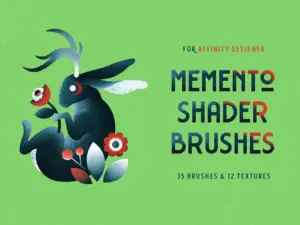
Memento Shader Brushes for Affinity
Sold by Pixelbuddha Studio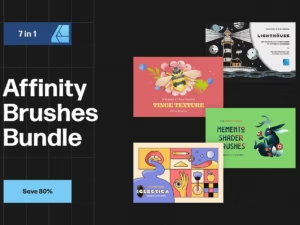
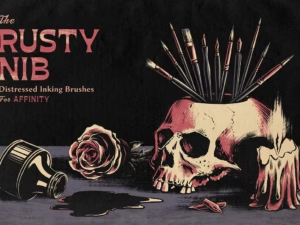
Rusty Nib Inkers for Affinity
Sold by True Grit Texture Spply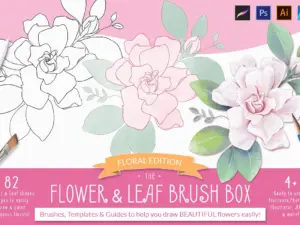
Procreate Flower & Leaf Brush Box
Sold by Kris Lauren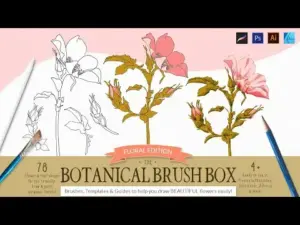
The Botanical Brush Box – Procreate
Sold by Kris Lauren
Ill-INK Affinity Designer Brushes
Sold by Annex1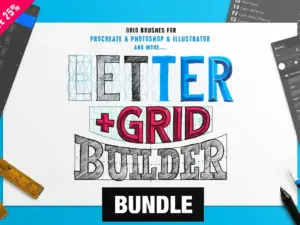
The Builder Bundle – Save 25%
Sold by ianbarnard.coAffinity Designer asset questions.
Helpful information for choosing brushes and creative resources for Affinity Designer.
What are Affinity Designer brushes?
Affinity Designer brushes are digital tools used to create different stroke styles, textures and artistic effects within supported Affinity workflows.
What types of Affinity brushes are available?
Brush collections may include ink, texture, lettering, sketch, paint and other specialized creative styles.
Can Affinity Designer brushes be used for lettering?
Yes. Some brush packs are designed for hand lettering, expressive typography and calligraphic or ink-style strokes.
Can I combine brushes with textures and patterns?
Yes. Combining several asset types can help create richer designs while keeping the overall composition under your control.
Are these resources suitable for beginners?
Many can be useful for beginners, although the complexity of each product and workflow may vary.
How do I know whether a product is compatible?
Check the individual product page for current file formats and compatibility information before purchasing.
Are Brushes Pack products physical items?
Brushes Pack specializes in digital products. Review each product page for exactly what is included.
Where can I get support?
Visit the Contact Us page or browse the FAQ’s.
Affinity Designer brushes and digital assets for flexible creative workflows.
Affinity Designer gives illustrators, graphic designers and branding professionals a flexible environment for vector-based design and creative production. A carefully chosen collection of Affinity Designer brushes and digital assets can help expand that workflow with expressive strokes, textures, patterns and reusable graphic resources.
At Brushes Pack, you can explore Affinity Designer resources for different design styles and creative needs.
Affinity Designer brushes for illustration
Brushes can help digital artwork feel more expressive and less mechanical. Depending on the pack, strokes may mimic ink, texture, dry media, lettering tools or other artistic effects.
These resources can be especially useful when a clean vector composition needs more variation and personality.
Affinity vector brushes and scalable artwork
Vector-focused workflows are useful when designs need to work at multiple sizes. Branding, icons, illustration and print graphics may all need to scale from small digital formats to larger outputs.
A well-organized resource library can help designers preserve flexibility while building visual detail more efficiently.
Affinity Designer texture brushes
Texture brushes can introduce grain, roughness, print character and imperfect edges. These details can add visual depth to otherwise clean digital compositions.
You can also explore the broader Textures collection for additional surface effects.
Affinity brushes for lettering
Lettering artists may use expressive brushes for script, ink, marker and textured typography. Brush-based lettering can combine the controlled structure of digital design with a more handcrafted appearance.
A smaller collection of reliable brushes is often easier to work with than a large set of very similar options.
Patterns for branding and graphic design
Patterns can support packaging, backgrounds, social graphics and visual identity systems. Reusable pattern resources can reduce setup time while still allowing designers to adjust color, scale and placement.
Shapes and reusable graphic elements
Shapes can speed up the early stages of poster design, branding, interface work and experimental composition. Reusable forms can also serve as building blocks for more complex graphics.
Affinity Designer assets for beginners
Beginners should start with resources that solve a clear creative problem. Learn how brushes, strokes, layers and shapes behave before importing too many asset packs.
This makes it easier to understand which tools genuinely improve your workflow.
Affinity Designer resources for professional designers
Professional designers often value repeatability, scalability and organization. Reusable brushes, patterns, textures and shapes can reduce repetitive setup while preserving creative control.
The most useful assets become part of a consistent production workflow rather than isolated files that are rarely used.
Build an organized Affinity Designer library
Consider organizing your resources into practical groups such as Brushes, Textures, Patterns, Shapes, Icons and Templates. Keep your most frequently used tools easy to access and archive specialty resources until a project requires them.
Download Affinity Designer assets from Brushes Pack
Explore the Affinity Designer collection at Brushes Pack for brushes and creative digital resources.
Before purchasing, review the individual product page for included files and compatibility information. You can also browse the full Brushes Pack shop for Procreate, Photoshop, Illustrator, Clip Studio Paint and other creative software.
What creators value in a useful Affinity Designer toolkit.
Editorial-style perspectives reflecting the qualities designers often look for in brushes and digital assets.
“I like brushes that add texture without making the design difficult to edit. That balance matters when I need to prepare several versions of the same artwork for a client.”
“Patterns and texture tools are the resources I use most because they help clean vector designs feel less sterile. I still want control over color and scale, but a little surface detail makes a big difference.”
“For illustration work I prefer a focused set of brushes I can depend on. I do not need hundreds of options if a smaller collection gives me good ink, texture and lettering tools.”
Helpful information before you purchase.
Learn more about Brushes Pack, explore support resources and review important policies for digital products.
Designer Perspectives are editorial-style examples representing common creative viewpoints and are not presented as verified purchase testimonials.
Continue building your creative toolkit.
Discover complementary Brushes Pack collections for vector work, illustration, photo editing and digital art.
Build your Affinity Designer toolkit with Brushes Pack.
Explore Affinity Designer brushes, textures, patterns, shapes and creative digital assets for flexible vector design and illustration workflows.